sushant@sushant:~$ nano DRapp.py
sushant@sushant:~$ cat DRapp.py
import subprocess

subprocess.run(["apt", "install", "nginx"])
sushant@sushant:~$ sudo chmod +x DRapp.py
sushant@sushant:~$ python3 DRapp.py
Error: Could not open lock file /var/lib/dpkg/lock-frontend - open (13: Permission denied)
Error: Unable to acquire the dpkg frontend lock (/var/lib/dpkg/lock-frontend), are you root?
sushant@sushant:~$ sudo python3 DRapp.py
Installing:
  nginx

Installing dependencies:
  nginx-common

Suggested packages:
  fcgiwrap  nginx-doc  ssl-cert

Summary:
  Upgrading: 0, Installing: 2, Removing: 0, Not Upgrading: 51
  Download size: 725 kB
  Space needed: 1,906 kB / 39.9 GB available

Continue? [Y/n]
You can see that the subprocess can install nginx, and is asking me for the confirmation [Y/n]. We can bypass this by providing "-y" as a argument when running the subprocess. It looks like this: subprocess.run(["apt", "install","-y", "nginx"])
sushant@sushant:~/DR$ head -7 DRapp.py | tail -6
import getpass

user=getpass.getuser()
if user != "root":
	print("Insufficient Priviledges. Please run as root. Abort")
	exit()
sushant@sushant:~/DR$ python3 DRapp.py
Insufficient Priviledges. Please run as root. Abort
sushant@sushant:~/DR$ sudo python3 DRapp.py
[sudo] password for sushant:
nginx is already the newest version (1.26.3-3+deb13u9).
Summary:
  Upgrading: 0, Installing: 0, Removing: 0, Not Upgrading: 51
sushant@sushant:~/DR$
Now, instead of running into an error, we handle it gracefully.
Next, let's create a function for the subprocess, so instead of willy nilly installing nginx, the code only runs when the function is called. I also added a return code so that we know if the installation was successful or not. It looks like this:
def installNGINX():
        result=subprocess.run(["apt", "install","-y", "nginx"])
        return result.returncode
Next, I also need Gunicorn and flask. I could copy and paste this code to make it install Gunicorn and flask but where's the fun in that? Let's modify the function to accept a string which will be used as the fourth parameter in the subprocess command, so we can install any software with ease in the future. It looks like this:
def getService(service):
        result=subprocess.run(["apt", "install","-y", service])
        return result.returncode
And it can be called like this:
ng=getService("nginx")
gn=getService("gunicorn")
fl=getService("python3-flask")
This does work but it can fail, and there is no way to handle that. We need to detect the failure and give the user a chance to try again. This is obviously a while loop job. I created another function like this:
def installThis(service):
        while True:
                code=getService(service)
                if code == 0:
                        print(service, "successfully installed.")
                        break
                else:
                        print(service, "installation failed")
                        choice=input("Enter 1 to try again. Enter any other key to quit")
                        if choice == "1":
                                continue
                        else:
                                print(serice,"couldn't be installed. Fatal Abort")
                                exit()
You can see that it breaks out when the service is successfully installed, gives the user a chance to try again or exit in case installation fails. I used exit() because the server cannot be configured without NGINX, Gunicorn or flask.
Existing software is giving me some trouble because the code isn't entering the failed states. I can get around this by manually removing the services, but let's automate this too. The cleanup app looks like this:
sushant@sushant:~/DR$ cat cleanUp.py
import subprocess

def remService(service):
	subprocess.run(["apt", "remove","-y", service])
	subprocess.run(["apt", "purge", "-y", service])
	subprocess.run(["apt", "-y","autoremove"])


remService("nginx")
remService("gunicorn")
remService("python3-flask")
This will make testing much easier now.
def gitClone():
        subprocess.run(["git","clone","https://github.com/1SUSHANT1/myProjects.git"])
Nothing out of the ordinary here, just a git clone command ran from subprocess. But it won't work just yet because its got a dependency. 2$ for anybody who can guess the dependency(not legally binding or admissible in court. Mwehehehe). The dependency is git itself. git clone doesn't work without git but we can quickly install it the same way installed the other services.
But there is a problem. If we run the script twice, it says: fatal: destination path 'myProjects' already exists and is not an empty directory.
defaultRepo="https://github.com/1SUSHANT1/myProjects.git"
        dirName=defaultRepo.split("/")[-1].removesuffix(".git")
This splits the directory address at the forward slashes, grabs the last item on the list, and removes the trailing ".git". Python lovers, count your days.
from pathlib import Path
def gitClone():
        defaultRepo="https://github.com/1SUSHANT1/myProjects.git"
        dirName=defaultRepo.split("/")[-1].removesuffix(".git")
        print(dirName)

        alreadyEx=Path(dirName)
        if alreadyEx.exists():
                print("Directory already exists")
        else:
                subprocess.run(["git","clone",defaultRepo])
Even though this is not a final version, we can see how the detection works. If the directory already exists, it prints a debug line, but if it doesn't exist, it clones the given repo. Now let's build on this foundation and let the user enter a custom repo. Something like this:
print("This is the default repo:", defaultRepo)
                choice=input("Enter 1 to use the default repo. Enter 2 to use a custom repo. Enter any other key to exit: ")
                usingRepo=""
                if choice == "1":
                        usingRepo=defaultRepo
                elif choice == "2":
                        usingRepo=input("Enter your custom GitHub repo")
                else:
                        print("FATAL. Git clone unsuccessful. Abort")
                        exit()
Next, let's give user the option to remove the current directory and get a fresh copy from GitHub in case of existing directory. We can use shutil.rmtree() to remove a directory. This is a very sensitive operation and we don't want to accidentally or hastily remove the directory without getting a proper confirmation. Something like this?
def gitClone():
        while True:
                defaultRepo="https://github.com/1SUSHANT1/myProjects.git"
                print("This is the default repo:", defaultRepo)
                choice=input("Enter 1 to use the default repo. Enter 2 to use a custom repo. Enter any other key to exit: ")
              --------------------------snip---------------------------
                        print("Directory already exists")
                        desicion=input("Enter 1 to work with the existing directory. Enter 2 to remove the existing directory. Press any other key to restart git clone: ")
                        if desicion == "1":
                                print("Using the existing directory")
                                break
                        elif desicion == "2":
                                conf=input(f"WARNING: This will remove the existing {dirName} directory. Enter C to proceed. Press any other key to restart git clone: ")
                                if conf == "C":
                                        print("Removing the existing directory")
                                        try:
                                                shutil.rmtree(alreadyEx)
                                        except Exception as e:
                                                print("Existing directory couldn't be removed.",e," Please try again")
                                                continue
                                        clcode=subprocess.run(["git","clone",usingRepo]).returncode
                                        if clcode == 0:
                                                print("Remote Repo successfully cloned.")
                                                break
                                        else:
                                                print("Remote Repo couldn't be cloned. Please try again")
                                                continue
                                else:
                                        continue
                else:
                                clcode=subprocess.run(["git","clone",usingRepo]).returncode
                                if clcode == 0:
                                        print("Remote Repo successfully cloned.")
                                        break
                                else:
                                        print("Remote Repo couldn't be cloned. Please try again")
                                        continue
This looks complex but the logic is very simple.
def gitClone(defaultRepo):
 return(dirName)
                                                break
Now the function call looks like:
defaultRepo="https://github.com/1SUSHANT1/myProjects.git"
rootDir=gitClone(defaultRepo)
def verifyDirectory(defaultRepo,rootDir):
        rootDir=Path(rootDir)
        expPyApp=rootDir
        expNgConf=rootDir/"serverConfiguration"/"nginx"
        expFiConf=rootDir/"serverConfiguration"/"firewall"

        if (expPyApp/"myPyScript.py").exists():
                print("Python app found")
        else:
                print("Python app wasn't found")

        if(expNgConf/"nginx.conf").exists():
                print("NGINX conf file found")
        else:
                print("NGINX conf file not found")

        if(expFiConf/"nftables.conf").exists():
                print("Nftables conf file found")
        else:
                print("Nftables conf file not found")
Let's implement the logic which handles the case where the file doesn't exist. We are just going to ask the user if the file exists on the repo they provided and try to locate it. Something like this:
while True:
                if (expPyApp/"myPyScript.py").exists():
                        print("Python app found")
                        return (expPyApp/"myPyScript.py")
                else:
                        print("Python app wasn't found")
                        existence=input("Enter 1 if the repository contains the Python app. Press any other key to exit: ")
                        if existence == "1":
                                loc=input(f"Enter the path to the python app. The path should start from {rootDir}: ")
                                loc=Path(loc)
                                if loc.exists():
                                        print("Python app located")
                                        return loc
                                else:
                                        print("The file couldn't be located")
                                        cont=input("Enter 1 to try again. Press any other key to exit: ")
                                        if cont == "1":
                                                continue
                                        else:
                                                exit()
                        else:
                                exit()
This can be converted into a function where we can pass:
def locateFiles(rootDir,file,name,expDir):
        while True:
                if (expDir/file).exists():
                        print(name, "file found")
                        return (expDir/file)
                else:
                        print(name," file wasn't found")
                        existence=input(f"Enter 1 if the repository contains the {name} file. Press any other key to exit: ")
                        if existence == "1":
                                loc=input(f"Enter the path to the {name} file. The path should start from {rootDir}: ")
                                loc=Path(loc)
                                if loc.exists():
                                        print(name, "file located")
                                        return loc
                                else:
                                        print("The file couldn't be located")
                                        cont=input("Enter 1 to try again. Press any other key to exit: ")
                                        if cont == "1":
                                                continue
                                        else:
                                                exit()
                        else:
                                exit()
It's the same thing as above but now we can use it to get the path to as many number of files as we need. It will be used again when setting up the server cluster.
It is called like this:
rootDir=Path(rootDir)
expPyApp=rootDir
expNgConf=rootDir/"serverConfiguration"/"nginx"
expFiConf=rootDir/"serverConfiguration"/"firewall"

actPyLoc=locateFiles(rootDir,"myPyScript.py","Python",expPyApp)
actNgConf=locateFiles(rootDir,"nginx.conf","NGINX", expNgConf)
actFiConf=locateFiles(rootDir,"nftables.conf","Firewall", expFiConf)


print("Python file is at: ", actPyLoc)
print("NGINX file is at: ", actNgConf)
print("Firewall file is at: ", actFiConf)
Now we have the actual file location of the mission critical files. But still, what if the files contain: file->banana? Well, there's very little what I can do regarding the content of the files that the users provide but I can check the syntax of the files and see if they can be used where they are supposed to.
subprocess.run(["python3", "-m", "py_compile",actPyLoc])
subprocess.run(["nginx","-t","-c",Path.cwd()/actNgConf])
subprocess.run(["nft", "-c","-f",actFiConf])
Let me give you a hint as to what is happening here:
while True:
        pc=subprocess.run(["python3", "-m", "py_compile",actPyLoc])
        if pc.returncode != 0:
                print("The python app syntax is invalid")
                choice=input("Enter 1 to provide another file. Press any other key to exit: ")
                if choice == "1":
                        actPyLoc=locateFiles(rootDir,"myPyScript.py","Python",expPyApp)
                        continue
                else:
                        exit()
        else:
                print("The python app syntax is valid")
                break
In another life, I would make you stay.. WHAT? let me try that again. In another world, maybe this piece of code would take the user back to where they would enter the file location and everybody would live happily ever after. But the second argument in locateFiles, "myPyScript.py" always breaks the while loop if the file exists and the user can never enter another file name. I can get around it like this:actPyLoc=locateFiles(rootDir,"thisFIleShouldntExist.IfThisFileExists,IWillCrashOut.#nonexistentFile","Python",expPyApp)
def locateFiles(rootDir,file,name,expDir):
        while True:
                expLoc=expDir/file
                if (expLoc).exists():
                        print(name, "file found at:",expLoc)
                        choice=input(f"Enter 1 if you want to provide a different {name} file. Press any other key to use the default {file} file: ")
                        if choice == "1":
                                loc=input(f"Enter the path to the {name} file. The path should start from {rootDir}: ")
                                loc=Path(loc)
                                if loc.exists():
                                        print(name, "file located")
                                        return loc
                                else:
                                        print("The file couldn't be located")
                                        cont=input("Enter 1 to try again. Press any other key to exit: ")
                                        if cont == "1":
                                                continue
                                        else:
                                                exit()
                        else:
                                return (expLoc)
                else:
                        print(name," file wasn't found")
                        existence=input(f"Enter 1 if the repository contains the {name} file. Press any other key to exit: ")
                        if existence == "1":
                                loc=input(f"Enter the path to the {name} file. The path should start from {rootDir}: ")
                                loc=Path(loc)
                                if loc.exists():
                                        print(name, "file located")
                                        return loc
                                else:
                                        print("The file couldn't be located")
                                        cont=input("Enter 1 to try again. Press any other key to exit: ")
                                        if cont == "1":
                                                continue
                                        else:
                                                exit()
                        else:
                                exit()
Copy/Paste? What Copy/Paste?
Now the workflow will be:
while True:
        try:
                shutil.copy(actNgConf,"/etc/nginx/conf.d/")
        except:
                print("The file could not be copied. Please try again. You might want to run the cleanUp.py app if the problem persists")
                choice=input("Enter 1 to provide another file. Press any other key to exit: ")
                if choice == "1":
                        actNgConf=locateFiles(rootDir,"nginx.conf","NGINX", expNgConf)
                        continue
                else:
                        exit()
        else:
                print("NGINX file copied to the nginx directory")
                confStr=str(actNgConf)
                fileName=confStr.split("/")[-1]
                print("Filename is: ",fileName)
                filePath=Path("/etc/nginx/conf.d")/fileName
                print("FilePath is: ", filePath)


        nc=subprocess.run(["nginx","-t","-c","/etc/nginx/nginx.conf"])
        if nc.returncode != 0:
                print("The NGINX configuration file is invalid. This file should be removed")
                try:
                        filePath.unlink()
                except:
                        print("file couldn't be removed")
                        choice=input("Enter 1 to provide another file. Press any other key to exit: ")
                        if choice == "1":
                                actNgConf=locateFiles(rootDir,"nginx.conf","NGINX", expNgConf)
                                continue
                        else:
                                exit()
                else:
                        print("The file was removed")
                        desicion=input("Enter 1 if you want to provide another file. Press any other key to exit: ")
                        if desicion == "1":
                                actNgConf=locateFiles(rootDir,"nginx.conf","NGINX", expNgConf)
                                continue
                        else:
                                exit()

        else:
                print("The NGINX file syntax is valid")
                break
Let me explain what is going on here:
But I missed something. While running the syntax check on the main file, I realized that nginx configuration might mean the main file to most people. If I put the main file in /conf.d, there will be two main files one nested in the other and it will surely always fail. I need to let the user choose if the file is the main file or the server file and move it to correct places accordingly. Shouldn't take long.
AAAAAAAAAAAAA CUSS PYTHON CUSS NGINX CUSS C++ CUSS COMPUTERS CUSS CODE CUSS PROGRAMMING CUSS LINUX CUSS SERVERS CUSSING EVERYTHING
WHY THE CUSS IS PYTHON SO OBSESSED WITH INDENTS AND WHY IS NGINX DOING WHATEVER THE CUSS IT WANTS
Let me show what I mean. Look at this:
while True:
	whichFile=input("Enter 1 if the NGINX file is the main configuration file. Enter 2 if it is the server configuration file: ")
	if whichFile !="1" and whichFile != "2":
		desicion=input("Invalid input. Enter 1 to try again. Press any other key to exit: ")
		if desicion == "1":
			continue
		else:
			exit()

	try:
		if whichFile == "1":
			try:
				shutil.copy("/etc/nginx/nginx.conf","/etc/nginx/nginxBack.conf")
			except:
				print("Original File couldn't be copied")
				choice=input("Enter 1 to provide another file. Enter 2 to ignore and proceed. Press any other key to exit: ")
				if choice == "1":
					actNgConf=locateFiles(rootDir,"nginx.conf","NGINX", expNgConf)
					continue
				elif choice == "2":
					conf=input("This will remove the original configuration file without backup. Enter C to continue. Press any other key to try again")
					if conf == "C":
						print("Proceeding without the creating the backup")
					else:
						continue
				else:
					exit()
			else:
				originalFile=Path("/etc/nginx/nginxBack.conf")
				print("Original file was copied to:",originalFile)
				recoverFlag=True

			shutil.copy(actNgConf,"/etc/nginx/")
		else:
			shutil.copy(actNgConf,"/etc/nginx/conf.d")
	except:
		print("The file could not be copied. Please try again. You might want to run the cleanUp.py app if the problem persists")
		choice=input("Enter 1 to provide another file. Press any other key to exit: ")
		if choice == "1":
			actNgConf=locateFiles(rootDir,"nginx.conf","NGINX", expNgConf)
			continue
		else:
			exit()
	else:
		print("NGINX file copied to the nginx directory")
		confStr=str(actNgConf)
		fileName=confStr.split("/")[-1]
		print("Filename is: ",fileName)

		if recoverFlag==False:
			filePath=Path("/etc/nginx/conf.d")/fileName
			print("FilePath is: ", filePath)
		else:
			filePath=Path("/etc/nginx")/fileName
			print("FilePath is: ", filePath)

	nc=subprocess.run(["nginx","-t","-c","/etc/nginx/nginx.conf"])
	if nc.returncode != 0:

		if recoverFlag == False:

			print("The NGINX configuration file is invalid. This file should be removed")
			try:
				filePath.unlink()
			except:
				print("file couldn't be removed")
				choice=input("Enter 1 to provide another file. Press any other key to exit: ")
				if choice == "1":
					actNgConf=locateFiles(rootDir,"nginx.conf","NGINX", expNgConf)
					continue
				else:
					exit()
			else:
				print("The file was removed")
				desicion=input("Enter 1 if you want to provide another file. Press any other key to exit: ")
				if desicion == "1":
					actNgConf=locateFiles(rootDir,"nginx.conf","NGINX", expNgConf)
					continue
				else:
					exit()

		else:
			print("The NGINX configuration file is invalid")
			desicion=input("Enter 1 to provide another file. Press any other key to recover the original file and exit")
			if desicion == "1":
				actNgConf=locateFiles(rootDir,"nginx.conf","NGINX", expNgConf)
				continue
			else:
				try:
					shutil.copy(originalFile,"/etc/nginx/nginx.conf")
				except:
					print("The original file couldn't be recovered")
				else:
					print("Original file was successfully recovered")
					exit()

	else:
		print("The NGINX file syntax is valid")
		break
You might not be able to picture this properly so I've got pictures.
1. First version: Cute little code, Happiness, Sunshine, and Rainbow
2. Second version: What the cuss is this?
Let me see if I can explain what the cuss is going on here:
This description is intentionally short and dense. I gotta sleep. Goodnight!
sudo nft list ruleset
backFire=Path(expFiConf/"backFire.conf")
cuRule=subprocess.run(["nft","list","ruleset"],
capture_output=True,
text=True
).stdout
backFire.write_text(f"flush ruleset\n{cuRule}")
That's it! backup is made. I created a file called backFire.conf. I captured the current nft rules as a text in a variable. In a single command, I wrote "flush ruleset {next line} current rules". So when we load this file into nft, it will remove all the existing rules and the previous rules will go into effect.
But wait a minute (here we go), dumbly writing "flush ruleset" is not a good idea because if we do it many times, it will just keep adding the line "flush ruleset" on top of existing "flush ruleset"s and will cause problems. So if you think the solution is to detect "flush ruleset" and handle it accordingly, you may be right but that's not what I'm going to do. The reason I did backFire.write_text(f"flush ruleset\n{cuRule}") is because I like atomic operations, but this one has to be ..unatomic?
We change: backFire.write_text(f"flush ruleset\n{cuRule}") to:
backFire.write_text(cuRule)
And when we are performing the recovery, instead of just loading the file, we clear the ruleset first, then we load the file. We are separating the file automatically flushing the ruleset to we flushing the ruleset and loading the file. Slightly less ..atomic but it'll have to do.
Now we absolutely don't care if the user provided file has flush ruleset or not:
home=Path.home()
if (home/"immutables").exists():
        print("Immutables directory already exists")
else:
        try:
                (home/"immutables").mkdir()
        except:
                print("immutables directory could not be created. The app will exit")
                exit()
        else:
                print("Immutables directory was created")
Let's finish the firewall section and we'll move to the cleanup app. This is how I check for the immutable firewall file:
 writeToImmutableFile=False
        if (immutables/"immutableFire.conf").exists():
                print("Immutable firewall file exists")
        else:
                print("Immutable firewall file doesn't exist. Creating now")
                immutableFirewall=immutables/"immutableFire.conf"
                try:
                        immutableFirewall.touch()
                except:
                        print("Couldn't create the Immutable firewall file")
                        choice=input("Enter 1 to try again. Enter 2 to continue without creating the immutable file. Press any other key to exit")
                        if choice == "1":
                                continue
                        elif choice == "2":
                                print("Continuing without creating the immutable file")
                        else:
                                exit()
                else:
                        print("Immutable firewall file was created")
                        writeToImmutableFile=True

if writeToImmutableFile == True:
                try:
                        immutableFirewall.write_text(cuRule)
                except:
                        print("Couldn't write to the Immutable firewall file")
                        choice=input("Enter 1 to try again. Enter 2 to continue without writing to the immutable file. Press any other key to exit")
                        if choice == "1":
                                continue
                        elif choice == "2":
                                print("Continuing without writing to the immutable file")
                        else:
                                exit()
                else:
                        print("Immutable firewall backup created")
It's a shame that I hadn't thought about backups and fail safes and all of this bullcuss when I thought about this project. I thought it was just going to be:
loadFirewall=subprocess.run(["nft","-f",actFiConf])
        fireCode=loadFirewall.returncode
        if fireCode == 0:
                print("The firewall configuration file was correctly loaded into nft")
                break
        else:
                print("The firewall configuration file wasn't loaded into nft")
                choice=input("Enter 1 to try again. Press any other use the existing firewall rules")
                if choice =="1":
                        continue
                else:
                        print("Using the existing firewall rules")
                        break
We load the file into nft from the subprocess and handle the exit code. Nothing else to see here. Let's go back to NGINX and fix the bug I found.
print("The NGINX configuration file is invalid")
                        desicion=input("Enter 1 to provide another file. Press any other key to recover the original file and exit")
                        if desicion == "1":
                                actNgConf=locateFiles(rootDir,"nginx.conf","NGINX", expNgConf)
                                continue
                        else:
                                try:
                                        shutil.copy(originalFile,"/etc/nginx/nginx.conf")
                                except:
                                        print("The original file couldn't be recovered")
                                else:
                                        print("Original file was successfully recovered")
                                        exit()
If the user enters 1, I send him back to locate a new file. That's okay but I didn't remove the problematic file. This lead to problems but being a non-hasty guy that I am, here is what I did to recover.
sushant@sushant:/tmp$ sudo apt download nginx-common
Get:1 http://deb.debian.org/debian-security trixie-security/main amd64 nginx-common all 1.26.3-3+deb13u9 [112 kB]
Fetched 112 kB in 0s (2,148 kB/s)
Warning: Download is performed unsandboxed as root as file '/tmp/nginx-common_1.26.3-3+deb13u9_all.deb' couldn't be accessed by user '_apt'. - pkgAcquire::Run (13: Permission denied)
sushant@sushant:/tmp$ ls
nginx-common_1.26.3-3+deb13u9_all.deb
sushant@sushant:/tmp$ sudo dpkg-deb -x nginx-common_1.26.3-3+deb13u9_all.deb .
sushant@sushant:/tmp$ ls
etc              var              nginx-common_1.26.3-3+deb13u9_all.deb              usr
sushant@sushant:/tmp$ sudo mv etc/nginx/nginx.conf /etc/nginx/
I just downloaded nginx-common, extracted it and move the fresh file to my /etc/nginx directory. Didn't crash out at all.
But let's get back to the solution of the bug. The solution is the rule of thumb I created which was to handle the file immediately after it fails syntax text. Like this:
 print("The NGINX configuration file is invalid")
print("The NGINX configuration file is invalid")
                        try:
                                shutil.copy(originalFile,"/etc/nginx/nginx.conf")
                        except:
                                print("The original file couldn't be recovered. This may cause problems.")
                        else:
                                print("Original file was successfully recovered")

                        desicion=input("Enter 1 to provide another file. Press any other key to exit: ")
                        if desicion == "1":
                                actNgConf=locateFiles(rootDir,"nginx.conf","NGINX", expNgConf)
                                continue
                        else:
                                exit()
Now, the moment the file fails the syntax check, it is immediately replaced by the original file before proceeding. Also, there are a lot of times where I did something like:
else:
                print("The NGINX file syntax is valid")

        if (immutables/"immutableNGINX.conf").exists():
                        print("Immutable NGINX file exists")
        else:
                print("Immutable NGINX  file doesn't exist. Creating now")
                immutableNGINX=immutables/"immutableNGINX.conf"
                try:
                        shutil.copy("/etc/nginx/nginx.conf",immutableNGINX)
                except:
                        print("Couldn't create the Immutable NGINX file")
                        choice=input("Enter 1 to try again. Enter 2 to continue without creating the immutable file. Press any other key to exit")
                        if choice == "1":
                                continue
                        elif choice == "2":
                                print("Continuing without creating the immutable file")
                        else:
                                exit()
                else:
                        print("Immutable NGINX file was created")
        break
You can see that I checked for the immutable file and create the file AFTER the file's syntax has been verified. This is better from the firewall file where I create a file in one section and write to it on another. But they both work, so I'll leave them be for now.
def remService(service):
        subprocess.run(["apt", "remove","-y", service])
        subprocess.run(["apt", "purge", "-y", service])

remService("nginx")
remService("gunicorn")
remService("python3-flask")
remService("git")

subprocess.run(["apt","-y","autoremove"])
This is a small modification to the existing setup where I add git removal and run autoremove only once after all the services have been removed. Then here come the fun part, immutable files. Here is how I recover the firewall from the immutableFire file.
home=Path.home()
immutables=Path.home()/"immutables"
if immutables.exists():
        print("Immutables folder exists")
        immutableFire=immutables/"immutableFire.conf"

        if immutableFire.exists():
                print("immutableFIre here")
                subprocess.run(["nft","flush","ruleset"])
                loadFire=subprocess.run(["nft","-f",immutableFire])
                fireCode=loadFire.returncode
                if fireCode == 0:
                        print("Firewall loaded")
                        #shutil.move(immutableFire,immutables/"immutableFireOld")
                        subprocess.run(["mv","--backup=numbered",immutableFire,immutables/"immutableFireOld"])
                else:
                        print("Firewall couldn't be loaded. Immutable file is left unchanged")
        else:
                print("immutable fire doesnt exist. skipping")
Here is what's happening:
immutableNGINX=immutables/"immutableNGINX.conf"
        if immutableNGINX.exists():
                print("immutableNGINX here")
                try:
                        shutil.copy2(immutableNGINX,"/etc/nginx/nginx.conf")
                except:
                        print("immutableNGINX file couldn't be used for recovery. The file is left unchanged")
                else:
                        print("immutableNGINX file was used to perform recovery")
                        subprocess.run(["mv","--backup=numbered",immutableNGINX,immutables/"immutableNGINXOld"])
                        #shutil.move(immutableNGINX,immutables/"immutableNGINXOld")
        else:
                print("immutableNginx doesn't exist. skipping")
This is similar to the firewall file but instead of loading it, I move it to the /etc/nginx directory and name it "nginx.conf". Then if the copy is successful, I rename this file too so it can't be used next time the app runs. Like I mentioned before, immutable files are never deleted and old immutable files are not touched by my apps. Only the user can perform manual recovery from the files.
startNGINX=subprocess.run(["systemctl", "start","nginx"])
That's it! Now if I plug in the IP address of the server on my browser, I should be able to see something. First, let me show you the working of the code on a fresh machine:
sushant@sushant:~$ sudo python3 DRapp.py
[sudo] password for sushant:
Immutables directory was created
Installing:
  nginx

---------------------------SNIP---------------------------
nginx successfully installed.
Installing:
  gunicorn
---------------------------SNIP---------------------------
gunicorn successfully installed.
Installing:
  python3-flask
---------------------------SNIP---------------------------
python3-flask successfully installed.
Installing:
  git
---------------------------SNIP---------------------------
git successfully installed.
This is the default repo: https://github.com/1SUSHANT1/myProjects.git
Enter 1 to use the default repo. Enter 2 to use a custom repo. Enter any other key to exit: 1
myProjects
Cloning into 'myProjects'...
remote: Enumerating objects: 503, done.
remote: Counting objects: 100% (197/197), done.
remote: Compressing objects: 100% (154/154), done.
remote: Total 503 (delta 38), reused 167 (delta 32), pack-reused 306 (from 2)
Receiving objects: 100% (503/503), 83.73 MiB | 33.91 MiB/s, done.
Resolving deltas: 100% (45/45), done.
Remote Repo successfully cloned.
Python file found at: myProjects/myPyScript.py
Enter 1 if you want to provide a different Python file. Press any other key to use the default myPyScript.py file: 2
NGINX file found at: myProjects/serverConfiguration/nginx/nginx.conf
Enter 1 if you want to provide a different NGINX file. Press any other key to use the default nginx.conf file: 2
Firewall file found at: myProjects/serverConfiguration/firewall/nftables.conf
Enter 1 if you want to provide a different Firewall file. Press any other key to use the default nftables.conf file: 2
Python file is at:  myProjects/myPyScript.py
NGINX file is at:  myProjects/serverConfiguration/nginx/nginx.conf
Firewall file is at:  myProjects/serverConfiguration/firewall/nftables.conf
The python app syntax is valid
The Firewall file syntax is valid
Enter 1 if the NGINX file is the main configuration file. Enter 2 if it is the server configuration file: 2
NGINX file copied to the nginx directory
Filename is:  nginx.conf
FilePath is:  /etc/nginx/conf.d/nginx.conf
2026/09/24 01:28:29 [warn] 5693#5693: conflicting server name "sushantadk.com" on 0.0.0.0:80, ignored
2026/09/24 01:28:29 [warn] 5693#5693: conflicting server name "www.sushantadk.com" on 0.0.0.0:80, ignored
nginx: the configuration file /etc/nginx/nginx.conf syntax is ok
nginx: configuration file /etc/nginx/nginx.conf test is successful
The NGINX file syntax is valid
Immutable firewall file doesn't exist. Creating now
Immutable firewall file was created
Immutable firewall backup created
The firewall configuration file was correctly loaded into nft
NGINX started
Okay it took about 45 seconds and it already installed all the services, cloned the remote repo, located all the files, verified the syntax, made immutable backups and started nginx. Let's run the server's local IP address on a browser and see what happens.
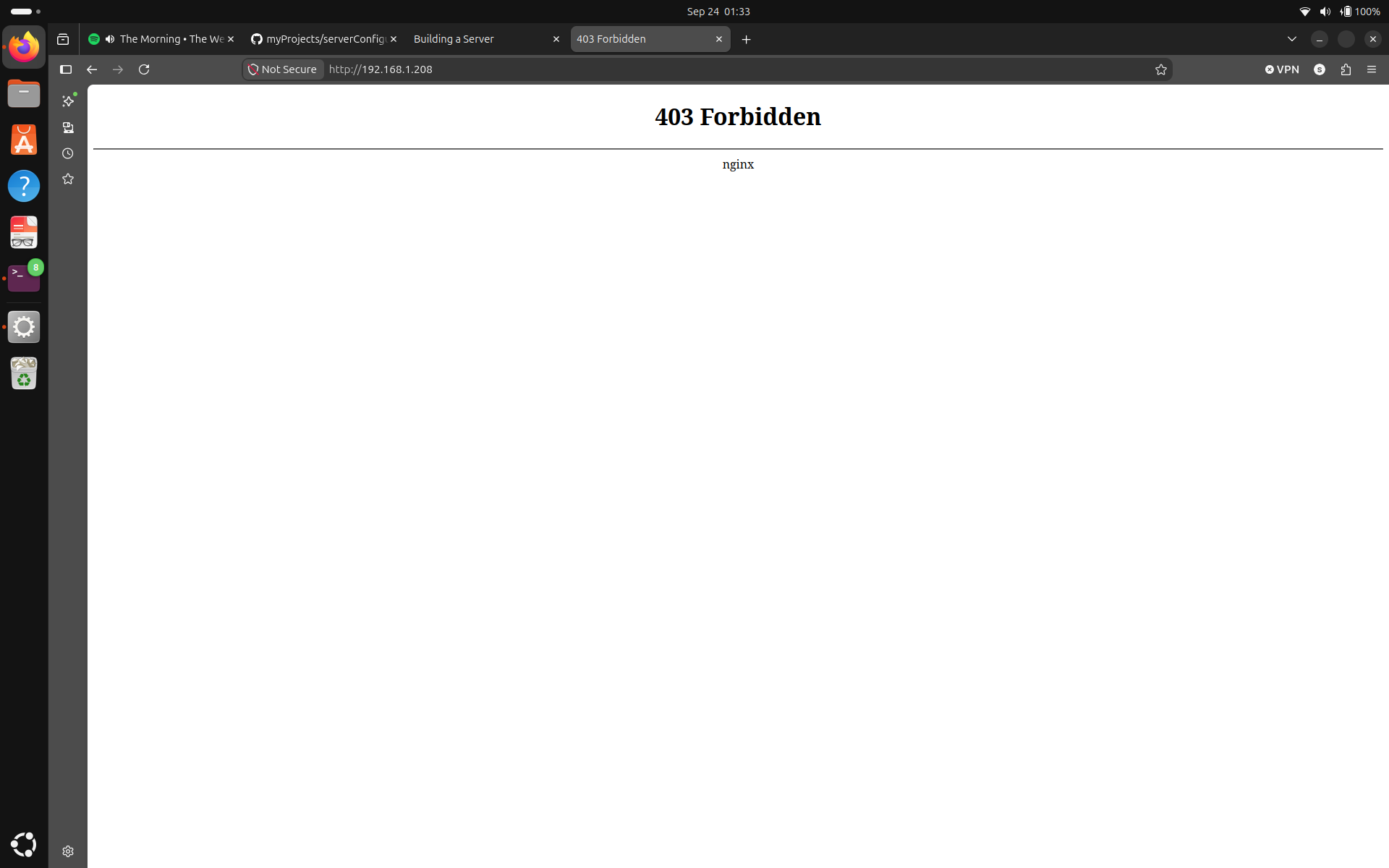
YEEEEEE it works! we got a 403 Forbidden from nginx. From the terrific guy Sushant's server setup guide, I quote "Success! (kinda). Now we are getting 403 forbidden error instead of 404 not found. I am sure it is because of my user permissions. I will recursively add execute permissions to all the files on my website root directory for others, and try again." So all we have to do now is recursively add execute permissions and we should be good to go. Except, I can't follow his instruction exactly because my home directory looks like this:
drwx------ 7 sushant sushant 4096 Sep 24 01:28 sushant
So I will have to add read and execute permissions on my home directory as well. Me being crafty as I am, I did this:
curDir=Path.cwd()
curDir=str(curDir)
homeDir=curDir.split("/")
strHome="/"+homeDir[1]+"/"+homeDir[2]
pathHome=Path(strHome)

subprocess.run(["chmod","o+rx",pathHome])
subprocess.run(["chmod","-R","755",rootDir])
Since I am running the code with sudo/root, the native python commands kept giving me location to root's home directory so I used cwd() which I know gives the directory where the process is running. Then I did some crafty parsing to create a path to the home directory and added read and execute permissions to others there. Then I also recursively added read and execute permissions for everyone in the directory pulled from GitHub. Security professionals might be losing their minds right now but we're going to ignore them for now. If I run the IP address again, nginx should return the correct webpage. Let's try it.

Yayyyyyyy!! it works! Now we can see my actual website being served on the local network. This is amazing! no way it took me like 45 seconds to rebuild this entire server. First time I did it, it took me like 4-5 days.
Now let me show you how the cleanUp app works:
sushant@sushant:~$ sudo python3 cleanUp.py
[sudo] password for sushant:
REMOVING:
  nginx

---------------------------SNIP---------------------------

REMOVING:
  gunicorn

---------------------------SNIP---------------------------

REMOVING:
  python3-flask

---------------------------SNIP---------------------------

REMOVING:
  git

---------------------------SNIP---------------------------

(Reading database ... 58182 files and directories currently installed.)
Purging configuration files for git (1:2.47.3-0+deb13u1) ...
REMOVING:
  git-man        python-babel-localedata  python3-babel    python3-click   python3-gunicorn      python3-jinja2      python3-packaging   python3-pyinotify
  liberror-perl  python3-asgiref          python3-blinker  python3-dotenv  python3-itsdangerous  python3-markupsafe  python3-pyasyncore  python3-werkzeug

Summary:
  Upgrading: 0, Installing: 0, Removing: 16, Not Upgrading: 51
  Freed space: 36.7 MB

---------------------------SNIP---------------------------

Immutables folder exists
immutableFIre here
Firewall loaded
immutableNginx doesn't exist. skipping
sushant@sushant:~$
And just like that, the server is ...unbuilt?
Now let's get the user to set the port forwarding. First, lets acquire the current IP address of the machine. Generally, I use ip addr to see the current IP address but that command produces an output so big that it is very difficult to parse. So we will be using the command hostname -I. This produces an output like this: 192.168.1.208 172.17.0.1 2600:xxxxxxxxxx:cdbd . The first one is the machine's IPv4 address. So we can run the command from the subprocess, capture the output and parse it. Something like this:
ipad=subprocess.run(["hostname","-I"],
capture_output=True,
text=True
).stdout;
ipad=ipad.split()[0]
print(ipad)
Capture the output, split on whitespaces and grab the first item. Now we ask the user to set port forwarding to this address. Verifying if the port forwarding was done correctly without having an access to the router itself is not easy but it is still very much possible. During this phase tho, I'll skip the verification and trust the user. We'll get to that later.
I will use certbot to get the HTTPS certificates. The instructions can be found here: https://certbot.eff.org/instructions?ws=nginx&os=pip Basically, you have to run these commands:
subprocess.run(["apt", "install", "python3", "python3-dev", "python3-venv", "libaugeas-dev", "gcc"])
subprocess.run(["python3", "-m", "venv", "/opt/certbot/"])
subprocess.run(["/opt/certbot/bin/pip", "install", "certbot", "certbot-nginx"])
subprocess.run(["/opt/certbot/bin/certbot","--nginx"])
There is a lot going on but this is what the documentation says so we stick to it. And when I run the app now, IT WORKS? THAT WAS IT? GUYS I DON'T THINK YOU'RE GOING TO BELIEVE THIS BUT IT IS PUBLICLY REACHABLE FROM THE INTERNET OVER HTTPS!
I don't know why this Sushant guy did all this: https://www.sushantadk.com/SupportingDocuments/buildingAServer.html, wasting his time when he could've just run this script.
Let's put verification around these subprocesses before we move on. Here are the functions.
def certPrep():
        result=0
        a=subprocess.run(["apt", "install", "python3", "python3-dev", "python3-venv", "libaugeas-dev", "gcc"])
        result=result+a.returncode
        b=subprocess.run(["python3", "-m", "venv", "/opt/certbot/"])
        result=result+b.returncode
        c=subprocess.run(["/opt/certbot/bin/pip", "install", "certbot", "certbot-nginx"])
        result=result+c.returncode

        return result


def installCert():
        a=subprocess.run(["/opt/certbot/bin/certbot","--nginx"])
        if a.returncode!=0:
                print("Certificate installation has failed")
                choice=input("Enter 1 to try again. Press any other key to skip: ")
                if choice == "1":
                        installCert()
You can see that in the certPrep() function, instead of returning after a subprocess fails, I began collecting the fails. Good news, at one time I had achieved 100% failure. Plus this doesn't have any negative impact (I think) because a completed process will be skipped in the next run so it stays. And these are called like this:
while True:
        result=certPrep()
        if result != 0:
                print(f"Some certbot dependent actions have failed")
                choice=input("Enter 1 to try again. Press any other key to skip certificate installation: ")
                if choice =="1":
                        continue
                else:
                        break
        else:
                installCert()
                break
The user does provide some input but it's usually just entering either 1 or 2 assuming the directory structure, file names and syntax are correct. The time for it to finish building the server will differ depending on computer and internet, but I am proud to tell you that on my 2015 MacBook Air, it takes about 1 minute and 30 seconds to finish building a HTTPS certified publicly reachable web server from scratch.
The previous quick method of adding read and execute permissions to others and recursively applying "755" permissions to the whole directory was fragile was unsafe. Fragile because if the user was running the app one directory deeper, the permissions wouldn't work and "755" permissions is too open for the website root directory. So now, let's fix them by doing the following:
Not only is this more secure, this is the setup I use on my main server. Execute permissions to all the files may not be necessary, but the app can't distinguish which files need to be executed from the ones which don't so this is a small compromise.
def addGroup(group):
        gA=subprocess.run(["groupadd",group])
        if gA.returncode==9:
                return 0
        else:
                return gA.returncode


def addToGroup(user,group):
        aN=subprocess.run(["groupmod","-aU",user,group])
        return aN.returncode

curDir=Path.cwd()
curDir=str(curDir)
traverseThis=curDir.split("/")
traverseThis.pop(0)

group="webManagers"
nginx="www-data"

if addGroup(group)==0:
        print("Group Added")
        if addToGroup(nginx,group)==0:
                print(f"{nginx} added to {group}")
        else:
                print(f"{nginx} couldn't be added to {group}")

        constructPath=""
        firstDir=True
        for dir in traverseThis:
                constructPath=constructPath+"/"+dir
                print(f"Dir is: {constructPath}")
                if firstDir==True:
                        firstDir=False
                else:
                        subprocess.run(["chgrp","webManagers",constructPath])
                        subprocess.run(["chmod","g+x",constructPath])
        subprocess.run(["chgrp","-R","webManagers",rootDir])
        subprocess.run(["chmod","-R","g+rx",rootDir])

else:
        print("Group wasn't added")
Couple things that jump out are that exit code 9 from "groupadd" is treated as exit code 0, it is because code 9 means that the group already exists, which very likely means that the app was run before and the group was created in the previous run so it is treated as success.
And there is things like traverseThis.pop(0) and firstDir=True. These are used to avoid changing permissions in the directories "/" and "/home". The only recursive changes are changing the owning group and owning group permissions to the website root directory.
I noticed that NGINX was running as the user "www-data". Then I also installed apache2 to see what user it would run as and it also ran as the user "www-data". My previous experiences were: NGINX running as the user "nginx" and apache2 running as the user "apache". Because of this knowledge, the app will now also perform user detection to add the correct user to the group. Not now tho.. we'll skip that for now.
Since I use users with different names on my servers, files kept running into "directory not found issue". For instance, the nginx file I use on my backup server traverses directory like this:
root /home/susie/myProjects/templates but the experiment machine doesn't have the "susie" directory so it runs into an issue then I'll have to go back and fix the name. So I am changing all the configuration files to use the directory "/home/user/...." so not only me but anyone who runs this app using the "home/user" directory will not have any "directory not found" issues.
A sophisticated user may use his own directory with his custom files in which case this will still work because the directory on the file will point to his directory. The main idea is that the directories the configuration files point to should exist. And the standard approach would be to run the app with default repository and default user where one can easily configure a fleet of servers.
Gunicorn and Flask are the one of the final pieces of the puzzle. The good thing is, Flask doesn't need to be separately configured and Gunicorn is pretty easy to set up. Gunicorn file is located the same way other 3 were, and by the way there were actually 4 critical files including gunicorn file. The syntax is verified like this:
while True:
        checkFile=Path("/tmp/gunicorn.service")
        shutil.copy(actGuLoc,checkFile)
        verifyGunicorn=subprocess.run(["systemd-analyze","verify",checkFile])
        checkFile.unlink()

        if verifyGunicorn.returncode==0:
                try:
                        shutil.copy(actGuLoc,"/etc/systemd/system/gunicorn.service")
                except:
                        print("Gunicorn systemd service couldn't be created")
                else:
                        print("Gunicorn systemd service created")
        else:
                print("Gunicorn configuration file failed syntax check")
                choice=input("Enter 1 to provide another file. Press any other key to skip")
                if choice=="1":
                        actGuLoc=locateFiles(rootDir,"gunicorn","Gunicorn",expGuConf)
                        continue
                else:
                        break
We move the file to the /tmp directory, name it gunicorn.service, run the syntax check and store the exit message. Then we remove the copy and extract the return code. If it was success, we copy the file to /etc/systemd/system/, name it gunicorn.service which will be used to configure gunicorn using systemd.
Then we also add a user which runs the Gunicorn service. Like this:
gUser=input("Enter 1 to enter a custom gunicorn user. Press any other key to use the default \"gunicorn\" user: ")
if gUser=="1":
        gunicorn=input("Enter the name of the gunicorn user: ")
else:
        gunicorn="gunicorn"

addGUser=subprocess.run(["useradd","-mr",gunicorn])
if addGUser.returncode==0 or addGUser.returncode==9:
        print("Gunicorn user created")
else:
        print("Failed to user Gunicorn user")
Notice the line addGUser=subprocess.run(["useradd","-mr",gunicorn]). If you think this is saying "Useradd Mister Gunicorn" you'd be totally wrong. The m and r flag are used to configure it as a system service with a home directory. Then we add the user to the webManagers group and start it just like we start NGINX.
Since we have already verified that the python file exists, Gunicorn should automatically run the file considering the content of Gunicorn configuration file was correct.
Since we are not checking the content because that would require a gigantic parser, we are just verifying the syntax and moving the files to the intended locations. But I can confirm that with a correct Gunicorn configuration file and the python app, the website will now also serve the dynamic content.
Now let's configure NGINX and Gunicorn to automatically run at boot. It's just two commands:
def startup(service):
        sT=subprocess.run(["systemctl", "enable", service])
        if sT.returncode==0:
                print(f"{service} was successfully enabled")
        else:
                print(f"{service} couldn't be enabled")

startup("gunicorn")
startup("nginx")
Well, not exactly two commands but this is it. Now even if you reboot your machine, the website will be served at startup, before even logging in to the machine.
Now I am done following that guy Sushant's server setup guide but something tells me that we're not done yet. What am I missing? Oh is it OPERATING SYSTEM DETECTION?
Yep you heard that correctly, next, I am integrating OS detection on the app. This script, as it is only works on a Debian server. Although my backup server runs Debian, my production server runs Alpine Linux. For that reason, the app will be modified to recognize an Alpine server and configure it the Alpine way, the right way if you may(did he hit his head with something?). Plus, since Debian and Ubuntu are similar, I might also add Ubuntu but Alpine and Debian will be my main goal.
Side note: I currently don't have a spare Alpine server to develop and verify as we go. Development will be done with an Alpine server in reference but testing will only be done after the development has finished.
We are going to have to watch out for things like package repositories, directory structures, different services, different commands, etc. But the app is not going to be like: if debian: this, elif alpine, that, ........ on every line. Instead it will be modified to perform the detection and determine what it is going to do for the rest of the runtime. Let's start with the detection. We use the file /etc/os-release to get the info about a Linux OS. But that file contains so much more than what I actually need, so we are going to have to do some parsing. Here is the contents of the file:
root@sushant:/home/user# cat /etc/os-release
PRETTY_NAME="Debian GNU/Linux 13 (trixie)"
-----------snip-----------------
ID=debian
---------------snip-----------------
I am only interested in the ID part so the way I am going to parse it is by splitting every line at "=". If the first value I get is "ID", I simply store the second value which will be the operating system. Very simple, something like:
OS=""
with open ("/etc/os-release") as file:
        for line in file:
                idField=line.strip().split("=")
                if idField[0]=="ID":
                        OS=idField[1]
                        break
Immutable directory creation process should be same on both so let's move on to installThis() function. Debian uses apt, but alpine uses apk, so the function will be modified from: def installThis(service) to installThis(service,OS). Nothing too crazy, something like this:
def installThis(service,OS):
        while True:
                if OS=="debian":
                        code=(subprocess.run(["apt", "install", "-y", service])).returncode
                elif OS=="alpine":
                        code=(subprocess.run(["apk","add",service])).returncode
                else:
                        print("Operating system not supported. Fatal. Abort")
                        exit()
This should install the services on both the servers correctly. Let's move on.
Cloning the GitHub repo, expected file locations, actual file locations, and python file syntax check should be the same on both distributions. Let's move to the firewall.
The firewall name on Debian is "nftables.conf", but on Alpine, it is "nftables.nft". Luckily, since both are managed by nft, everything else should be the same. (P.S: Future Sushant might come and beat me with a stick if this doesn't work). I created a new section:
if OS=="debian":
        firewallFile="nftables.conf"
elif OS=="alpine":
        firewallFile="nftables.nft"
As I move forward, I will add more stuff here so we can just use them in the app without having to worry about which OS it is every time. After the update, this line was changed: actFiConf=locateFiles(rootDir,firewallFile,"Firewall", expFiConf), and after some minor substitutions on the firewall loading section, it is behaving correctly on Debian. We'll have to do tests on an actual Alpine server but we do know that Debian is detected properly and firewall file verified and loaded properly.
NGINX is pretty simple too. The major difference here is in the file path, not the file names. Both distributions do use the file nginx.conf and even the main configuration path and file are same at: etc/nginx/nginx.conf. For the server file however, the path on Debian is: /etc/nginx/conf.d/nginx.conf, but the path on Alpine is:/etc/nginx/http.d/nginx.conf. Here is the logic, the previous code was updated to:
if OS=="debian":
        firewallFile="nftables.conf"
        nginxSFLoc="/etc/nginx/conf.d"
elif OS=="alpine":
        firewallFile="nftables.nft"
        nginxSFLoc="/etc/nginx/http.d"
Then I walked around substituting every "/etc/nginx/conf.d" with nginxSFLoc and it worked correctly on Debian. I didn't like that, I was expecting "kaboom", but whatever.
Now this one is interesting. The service file for Gunicorn has different content, it is in different paths, and it had different names on both distributions since it is run directly by the OS service manager. On Alpine, it is run by open-rc at /etc/init.d/gunicorn, and on Debian, it is run by systemd at: /etc/systemd/system/gunicorn.service plus, the content is different, so the provided repository should have distribution specific files for gunicorn. And, just remembered, syntax check is different on different servers. Because there is so much difference, I will create different functions to handle it rather than modifying the one I currently have. Here are the changes:
-------------------snip---------------
elif OS=="alpine":
        gunicornFileName="gunicornAlpine"
---------------snip--------------
actGuLoc=locateFiles(rootDir,gunicornFileName,"Gunicorn",expGuConf)
------------------------snip-----------------
if OS=="debian":
        gunicornDeb(actGuLoc,rootDir,expGuConf)
elif OS=="alpine":
        gunicornAlp(actGuLoc,rootDir,expGuConf)
So now the locate function will try to locate distribution specific gunicorn files. gunicornDebian for Debian and gunicornAlpine for Alpine. If they don't exist, then the user can still the provide the file path so we are fine there. And the new function looks like:
def gunicornAlp(actGuLoc,rootDir,expGuConf):
        while True:
                checkFile=Path("/tmp/gunicorn")
                shutil.copy(actGuLoc,checkFile)
                verifyGunicorn=subprocess.run(["sh","-n",checkFile])
                checkFile.unlink()

                if verifyGunicorn.returncode==0:
                        try:
                                shutil.copy(actGuLoc,"/etc/init.d/gunicorn")
                        except:
                                print("Gunicorn systemd service couldn't be created")
                                break
                        else:
                                print("Gunicorn systemd service created")
                                break
                else:
                        print("Gunicorn configuration file failed shell syntax check")
                        choice==input("Enter 1 to ignore and proceed. Press any other key to provide another file")
                        if input=="1":
                                try:
                                        shutil.copy(actGuLoc,"/etc/init.d/gunicorn")
                                except:
                                        print("Gunicorn systemd service couldn't be created")
                                        break
                                else:
                                        print("Gunicorn systemd service created")
                                        break
                        else:
                                actGuLoc=locateFiles(rootDir,"gunicornAlpine","Gunicorn",expGuConf)
                                continue
I know someone is complaining about the little copy paste there but we're going to ignore them forever. They more important things to notice are that the file syntax is being checked by shell and there is a option to proceed even if the check fails. This is because open-rc doesn't have something equivalent to systemd-analyze on systemd, so the app just checks if the file is a valid shell file. Since open-rc init files are generally shell, it should work but if someone passes a python file or an executable, since they can still work but I can't check them, the users can ignore the gunicorn syntax check and proceed.
Let's address the problem with NGINX user. I probably could hard code the usernames and get away with it but getting the username which is currently running NGINX might be a better idea. After some research, I found out the python library which could do exactly that; psutil. I use psutil to get info about the running processes, find the service name "nginx", see if it is a worker process, (because the master process is root and that's not what we need) and catch the worker's username. Something like this:
nginx=""
for process in psutil.process_iter(["name", "username", "cmdline"]):
        info = process.info
        cmdline = " ".join(info["cmdline"] or [])

        if info["name"] == "nginx" and "worker process" in cmdline:
                nginx = info["username"]
                break
else:
        if OS=="debian":
                nginx="www-data"
        elif OS=="alpine":
                nginx="nginx"
This does have a fail-safe where if psutil fails for whatever reason, we proceed with standard known usernames for each distributions. And this made me realize something because I ran into python module not found error. It means that the python modules I am importing:
import subprocess
import getpass
from pathlib import Path
import shutil
import psutil
These are the dependencies of my app, so before importing these, I have to detect the OS, install them, and only then import them. Sounds like tomorrow's problem tho ngl.
Next, the process for adding users, groups, running groupmod, and getting HTTPS certificates should be same on both distributions. So let's move on to using the appropriate system manager to run the services.
The previous logic was replaced by this function:
def startSv(service,OS):
        if OS=="debian":
                sR=subprocess.run(["systemctl", "start",service])
                sT=subprocess.run(["systemctl", "enable", service])
        elif OS=="alpine":
                sR=subprocess.run(["rc-service",service,"start"])
                sT=subprocess.run(["rc-update","add",service,"default"])
        if sR.returncode==0:
                print(f"{service} was successfully started")
        else:
                print(f"{service} couldn't be started")
        if sT.returncode==0:
                print(f"{service} was successfully enabled")
        else:
                print(f"{service} couldn't be enabled")
It runs the service from the appropriate system manager, and also adds the services to startup.
But before I declare phase 1 complete, we have something remaining.