Github:https://github.com/1SUSHANT1/fixing-charging-modifying-DTB
While I successfully fixed the charging issue on my specific device, I am not an embedded systems expert. My knowledge beyond this exact modification is limited. Proceed with caution.
Through online sources, I figured that components related to battery would likely include power in the file name. I started by scouting for files with "power" in the name. Run
sudo find / -name '*power*'
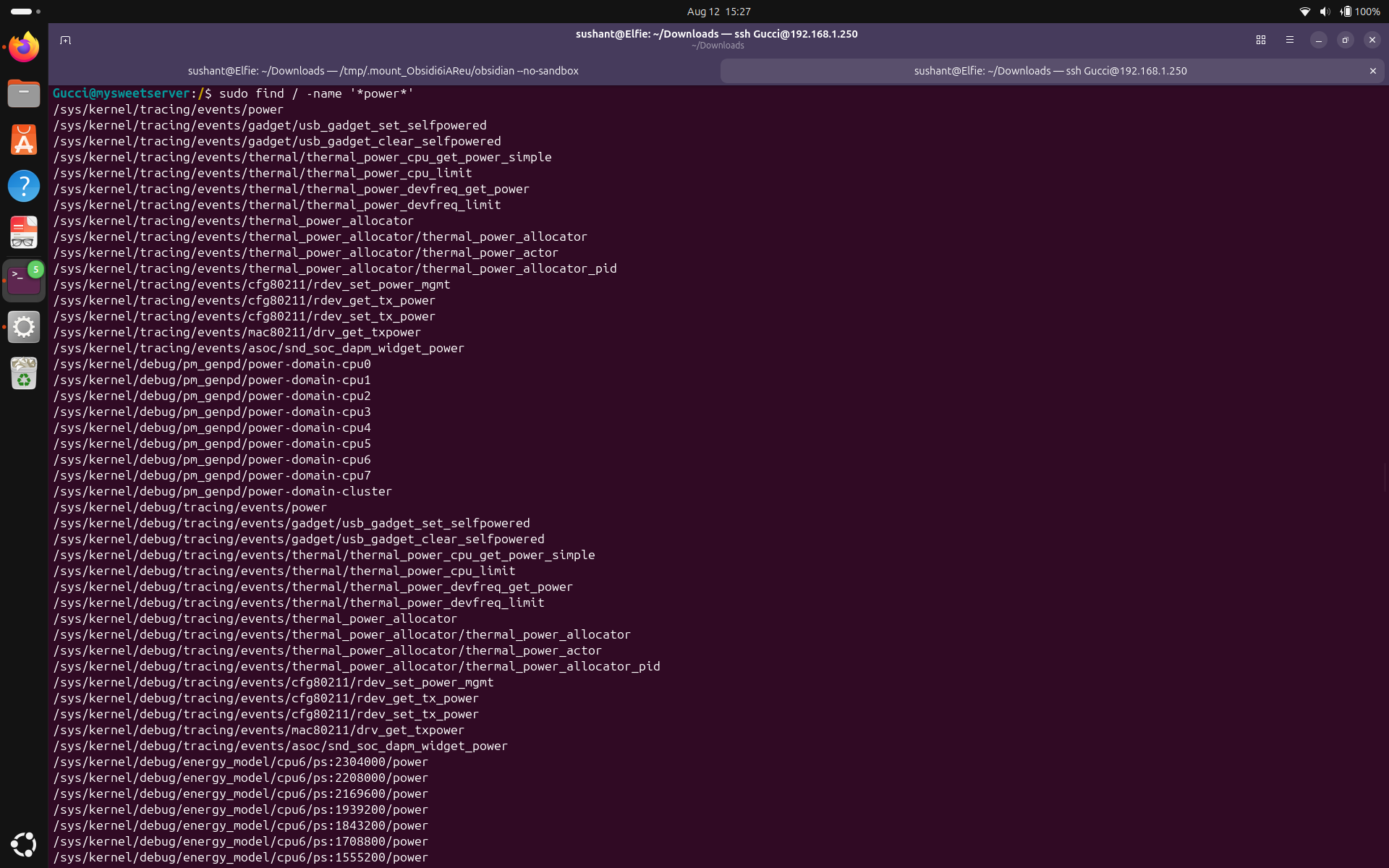
However, this produced far too many results, so I manually began noting directories that seemed promising. I concluded I would look into (in order from the find results):
First, let's look into /sys/power.
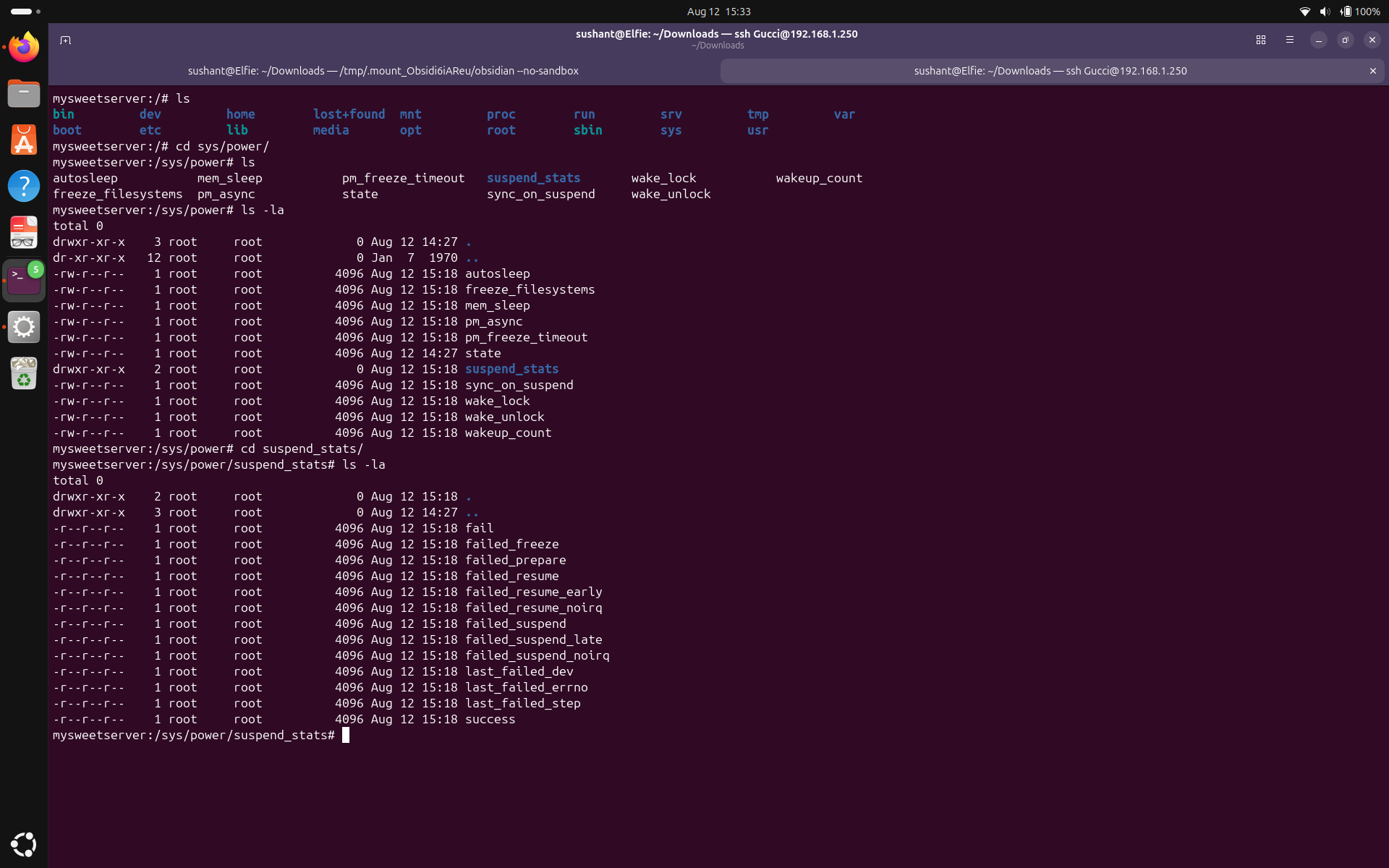
As you can see, it has very general files like autosleep, wakeup_count, etc. Not what we are looking for.
Next, /sys/class.
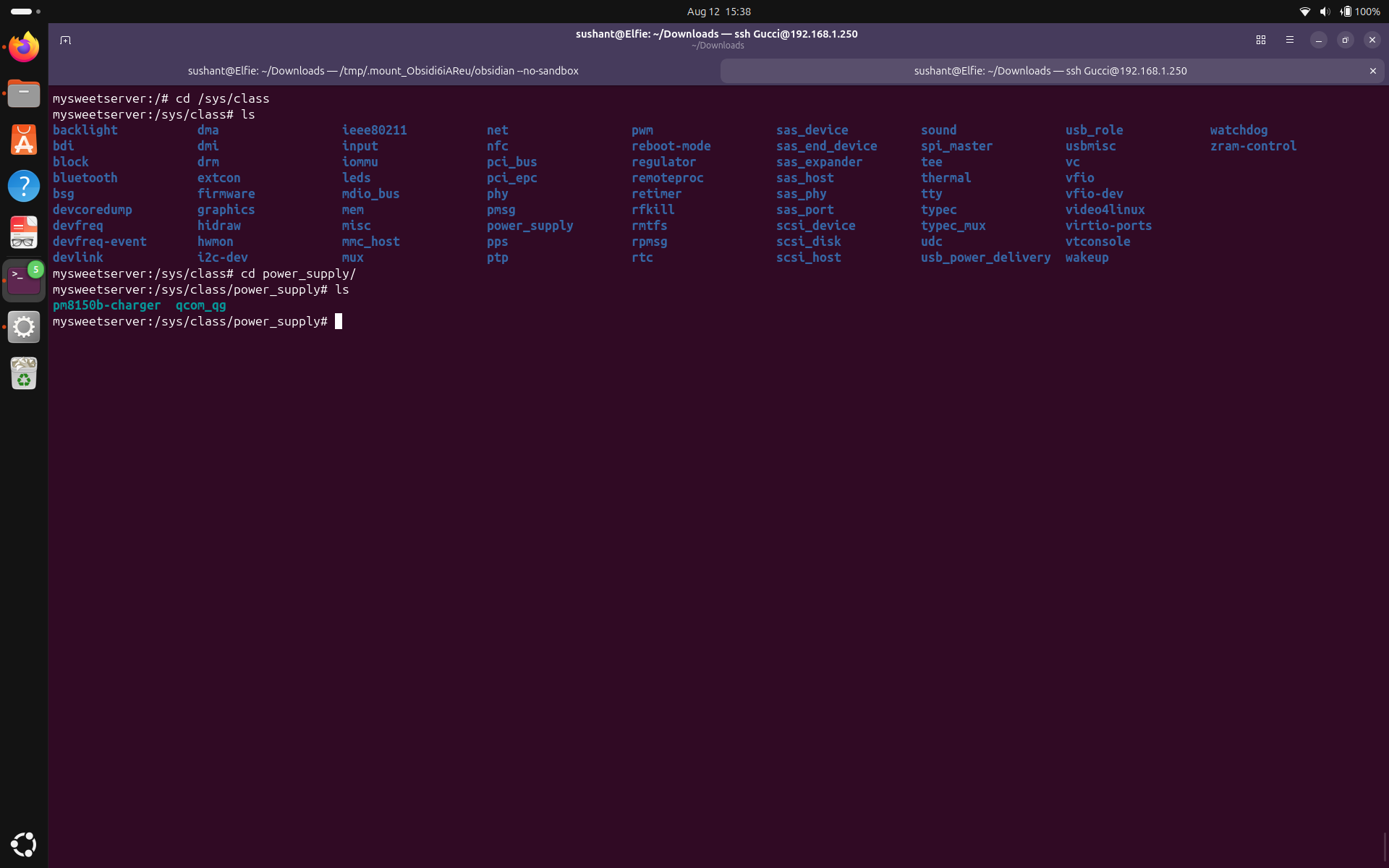
This is promising. /sys/class/power_supply has files named pm8150b-charger and qcom_qg. 'pm' represents postmarketOS, and 'qcom' represents the hardware (Qualcomm). Let's inspect the files.
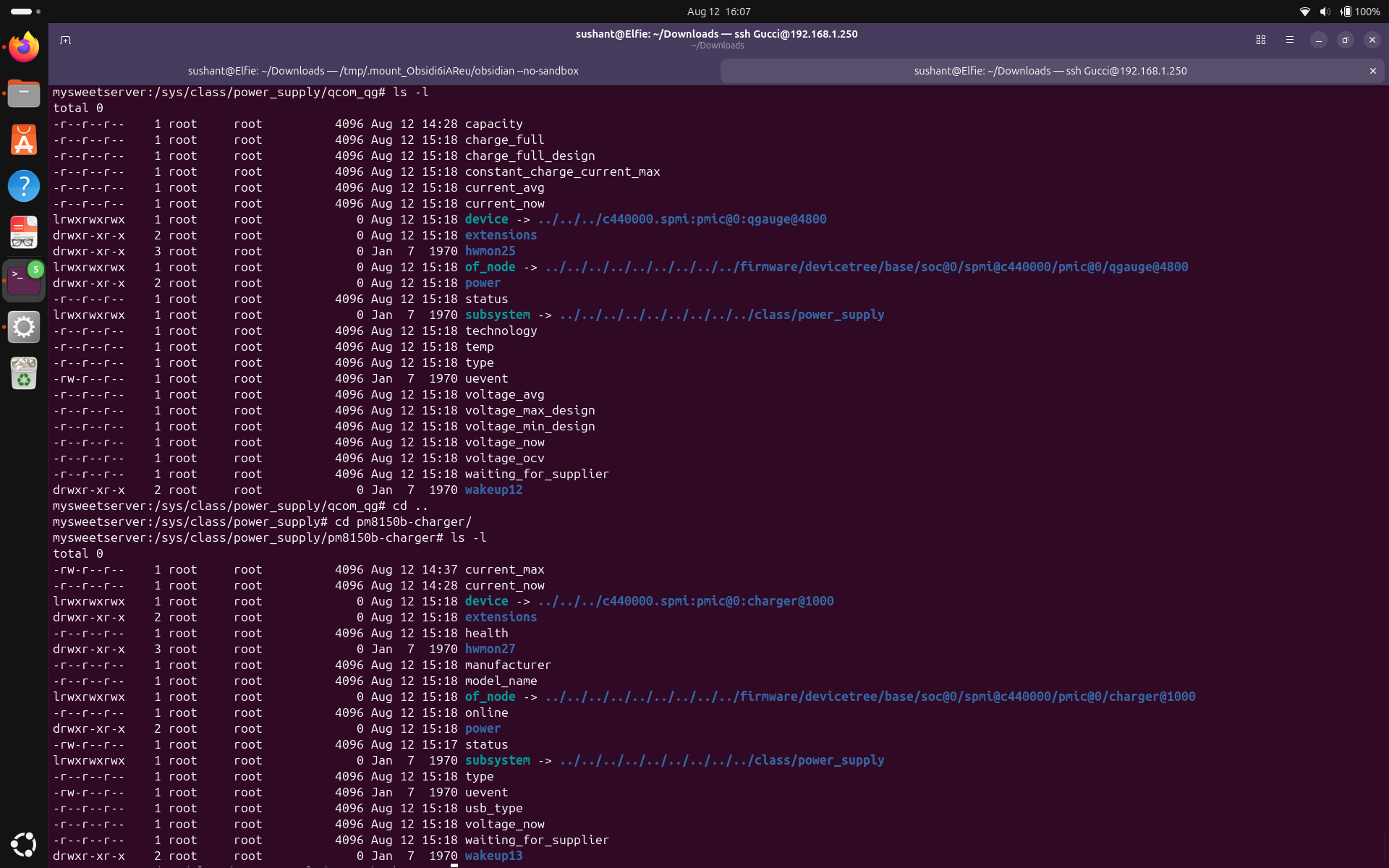
You can see most of the files here are read-only, and some which are writable aren't useful right now. Still, it appears that we can see the battery capacity, charging status, etc., here.
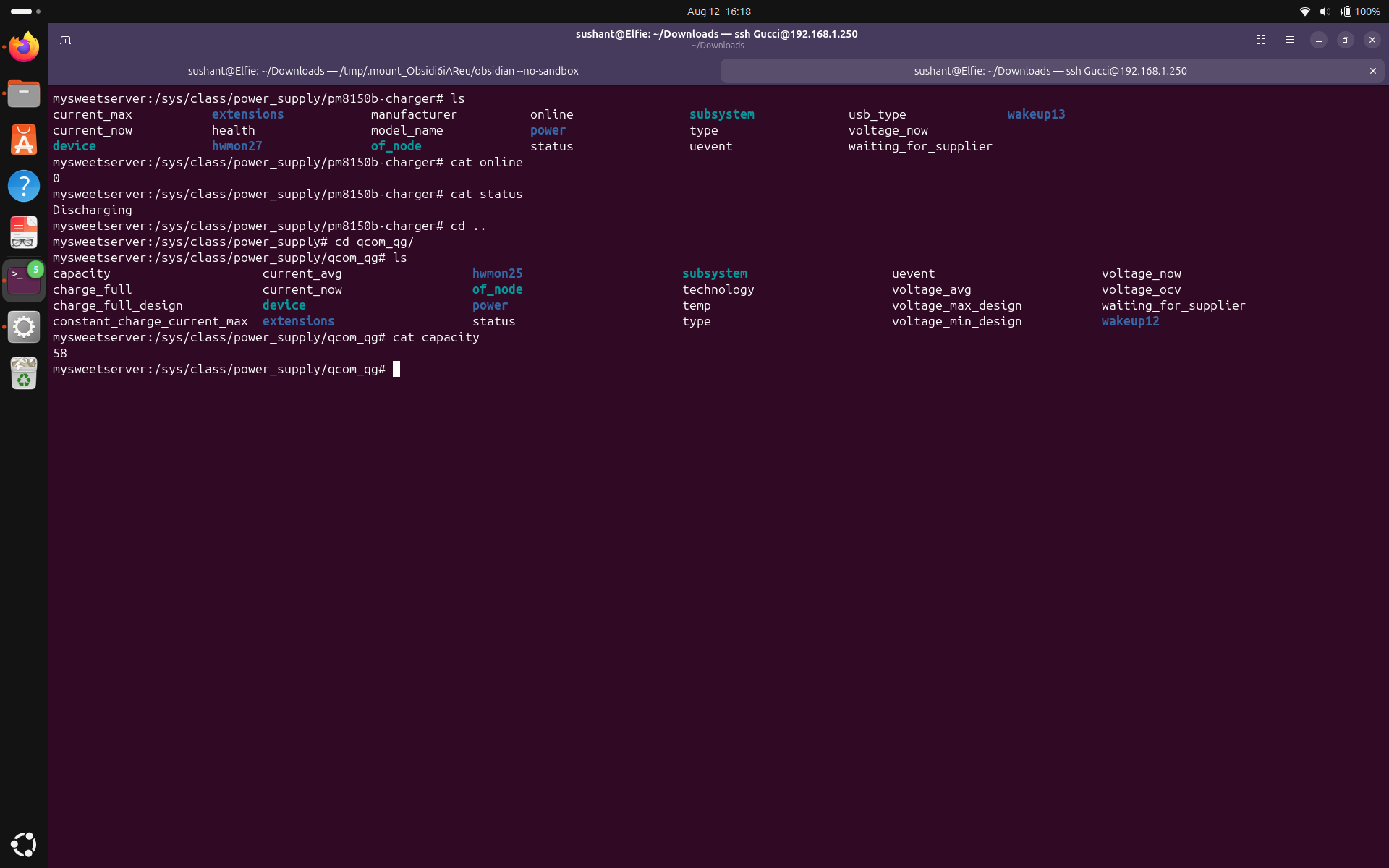
Even with the charger inserted in the phone, the phone shows "charger offline" and status "discharging."
Another promising directory, usb_power_directory under /sys/class, was empty. Let's now inspect /sys/class/usb_role/.
Next, the other two files I thought were promising, /sys/devices and /sys/firmware, also led nowhere. This is where I turned my phone off because clearly, my research wasn't enough.
After further research, I learned about device trees. A device tree is the data structure that describes the physical hardware of a computer system. Let's turn the phone on and find this tree on my server. Run find / -name '*dtb*'
I found the device tree for my phone.
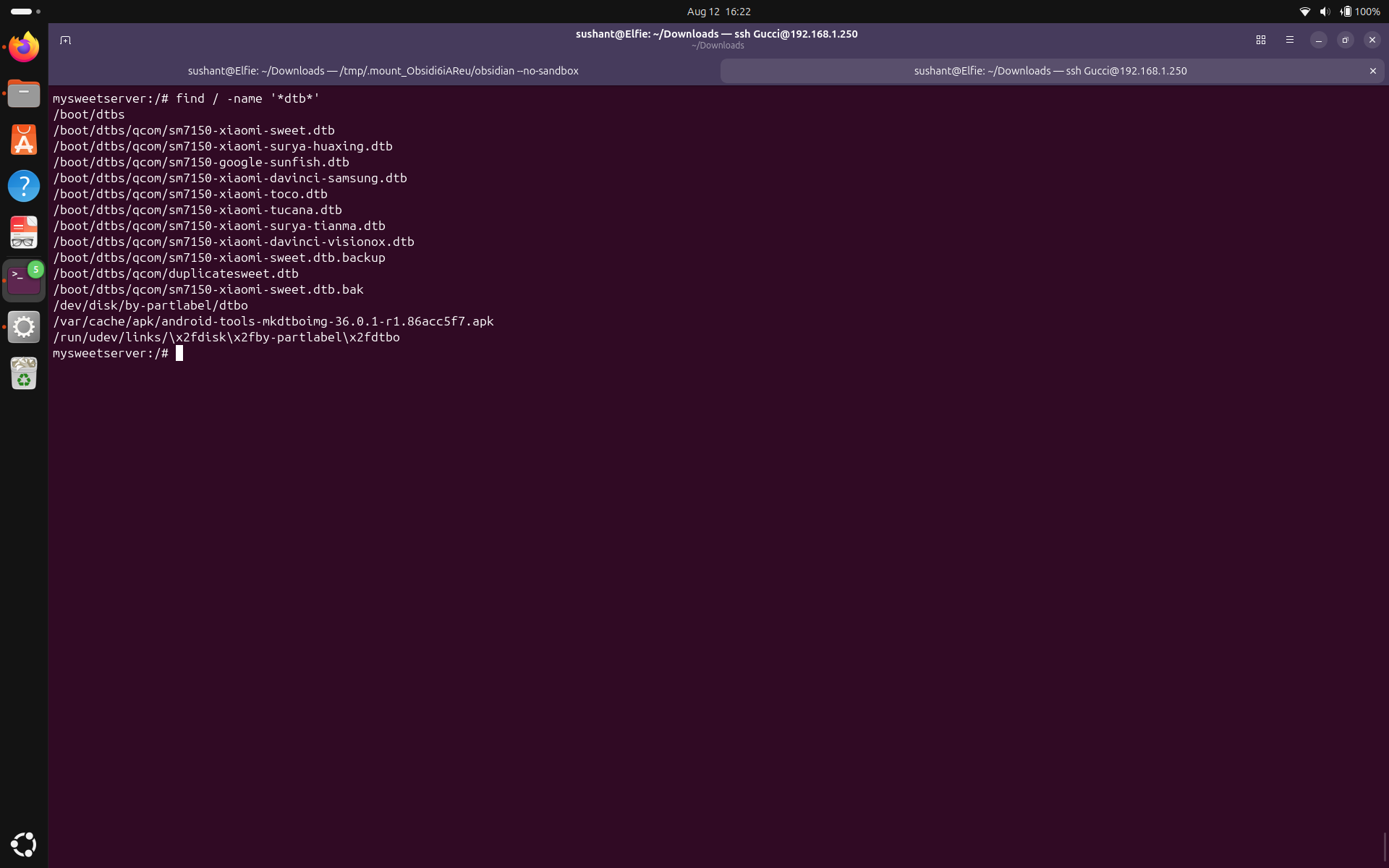
Even though there are multiple .dtb files, I know that the file I am interested in is /boot/dtbs/qcom/sm7150-xiaomi-sweet.dtb because my phone's codename is Xiaomi-Sweet. Let's open it. Run:
nano /boot/dtbs/qcom/sm7150-xiaomi-sweet.dtb
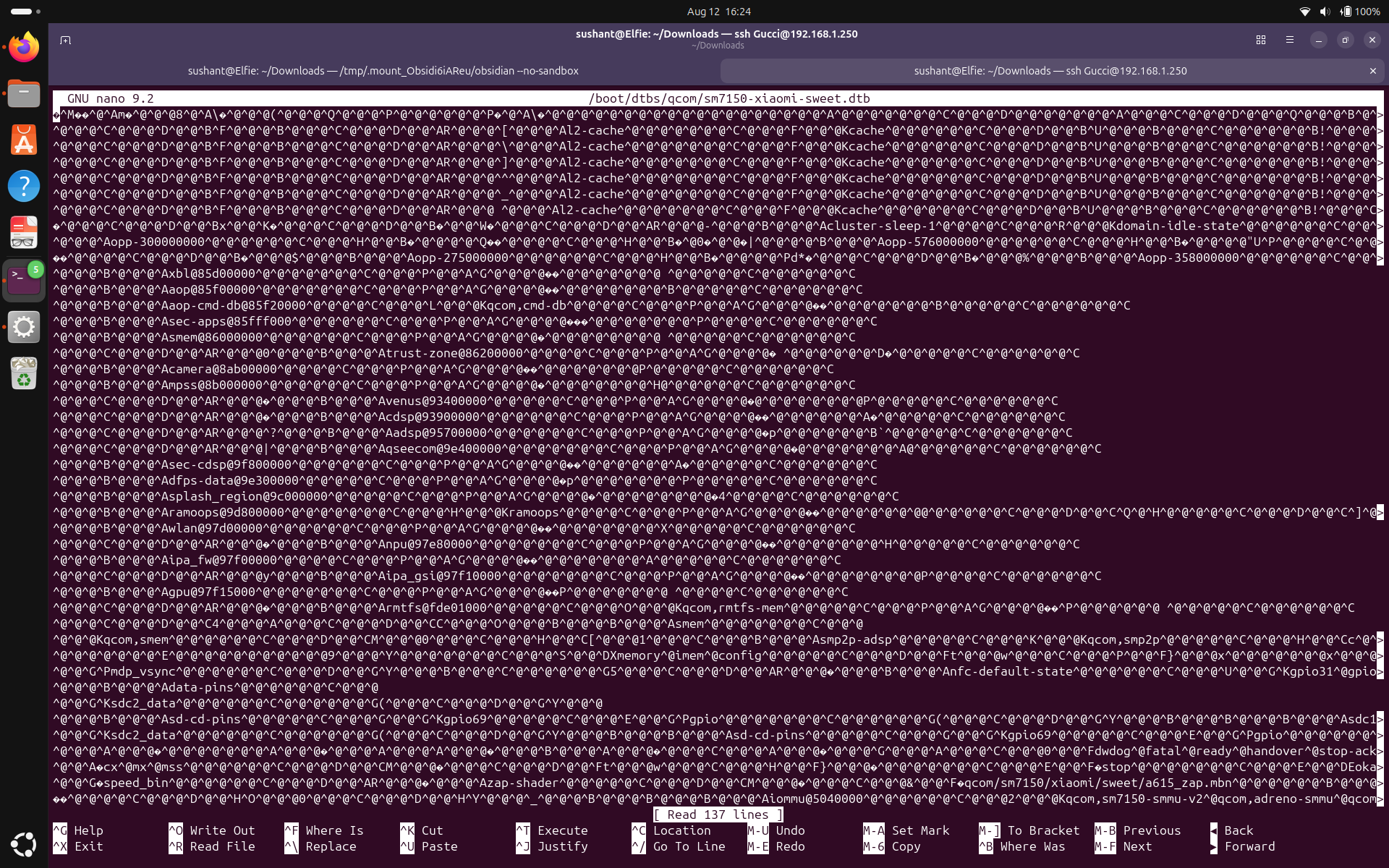
What is this garbage? Oh wait! this is a compiled binary. We need to decompile it before we can properly read and modify it. Run: Hey device tree copiler(DTC), take this device tree blob(DTB) as input and, and give me a human readable device tree source(DTS) as output in /tmp directory. That didn't work. Maybe try: dtc -I dtb -O dts -o /tmp/sweet.dts /boot/dtbs/qcom/sm7150-xiaomi-sweet.dtb
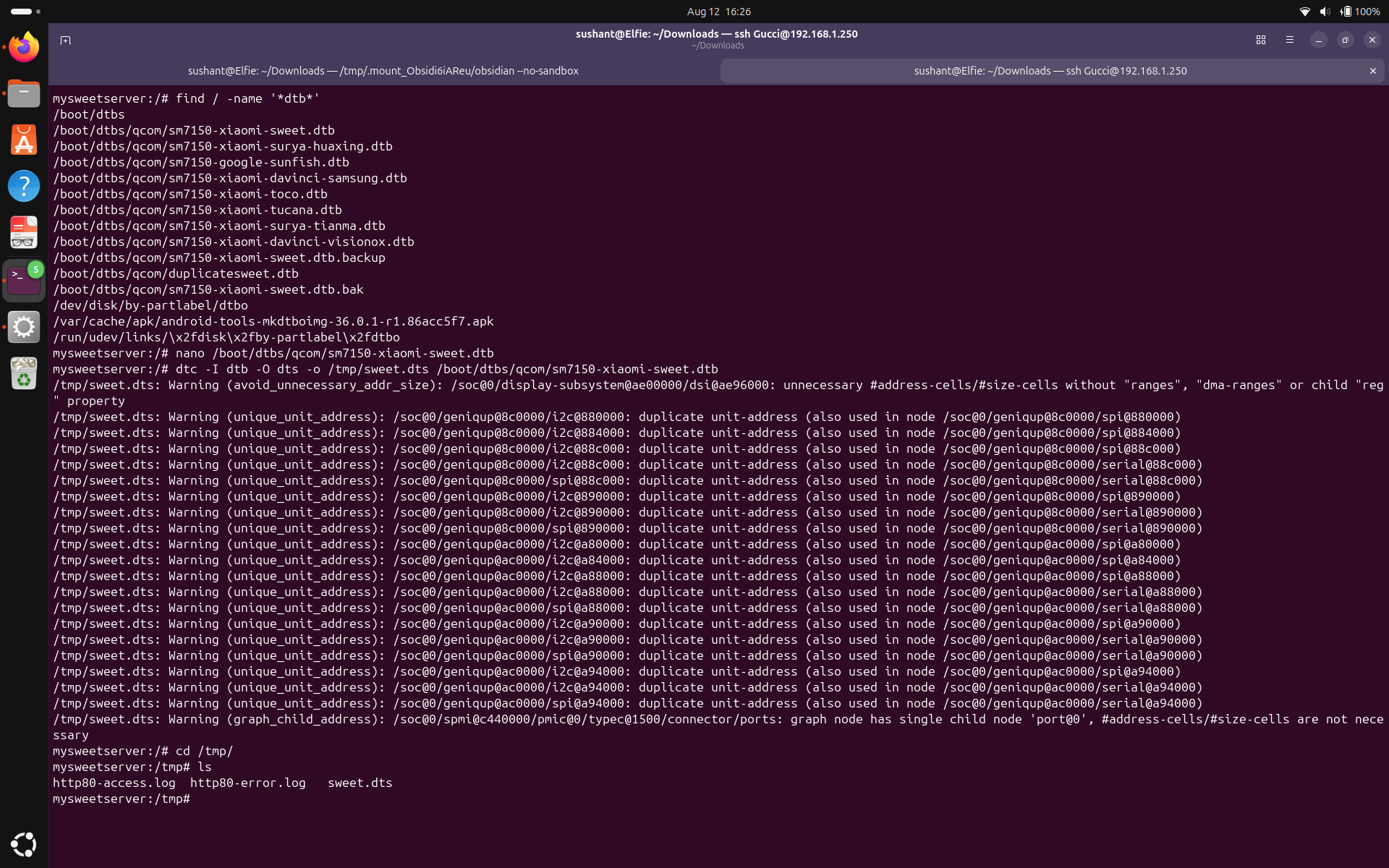
This converts the .dtb file to a human-readable .dts file and puts it in the /tmp directory.
Let's open the new file with nano.
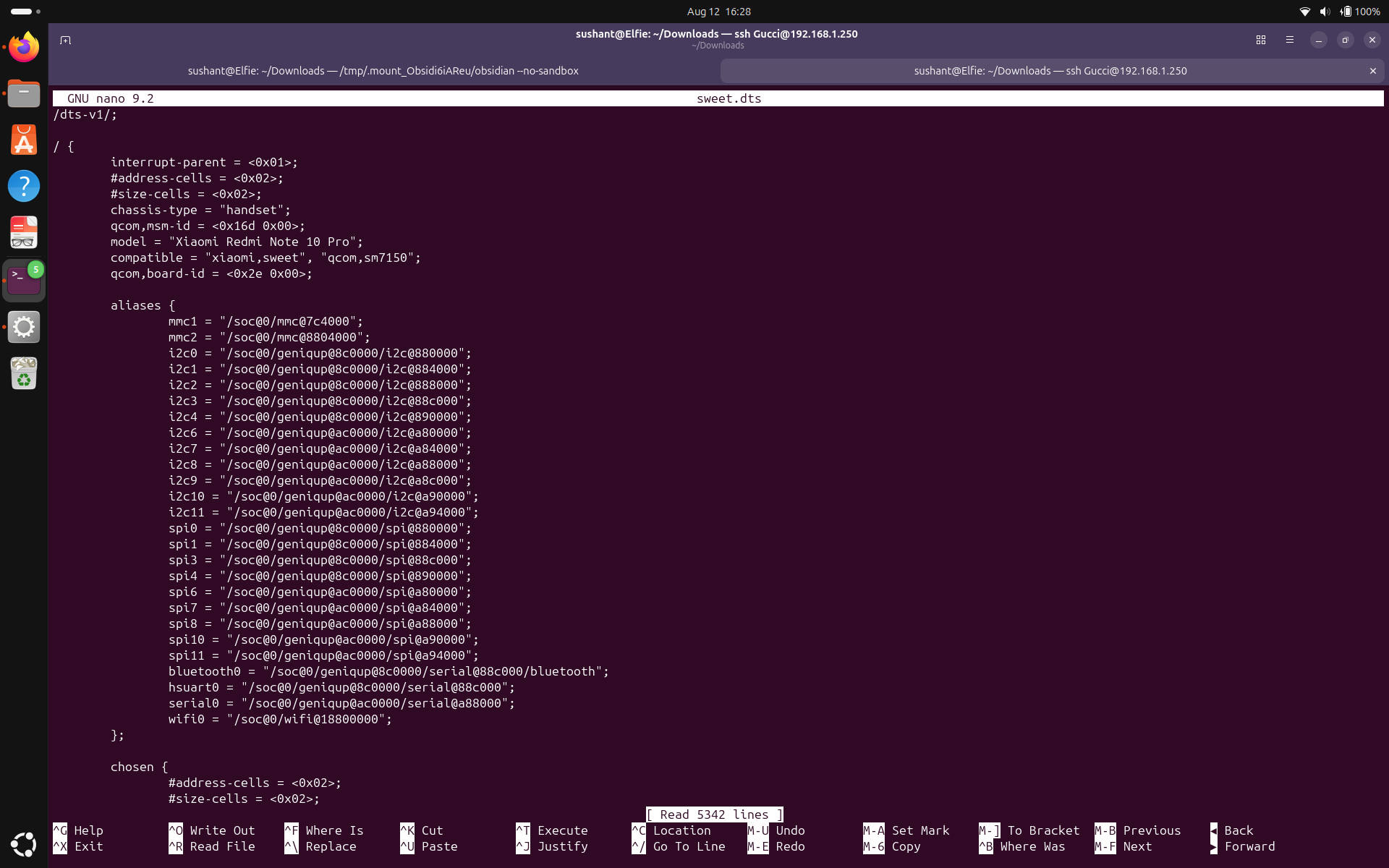
Hmm, so what's the plan with these 5000 lines? Read it if you please, but I am going to search for different keywords until I find something I'm interested in. I searched for the keyword "usb" using Ctrl+F and Ctrl+W to find the next occurrence until I found what I think was the reason charging wasn't working.
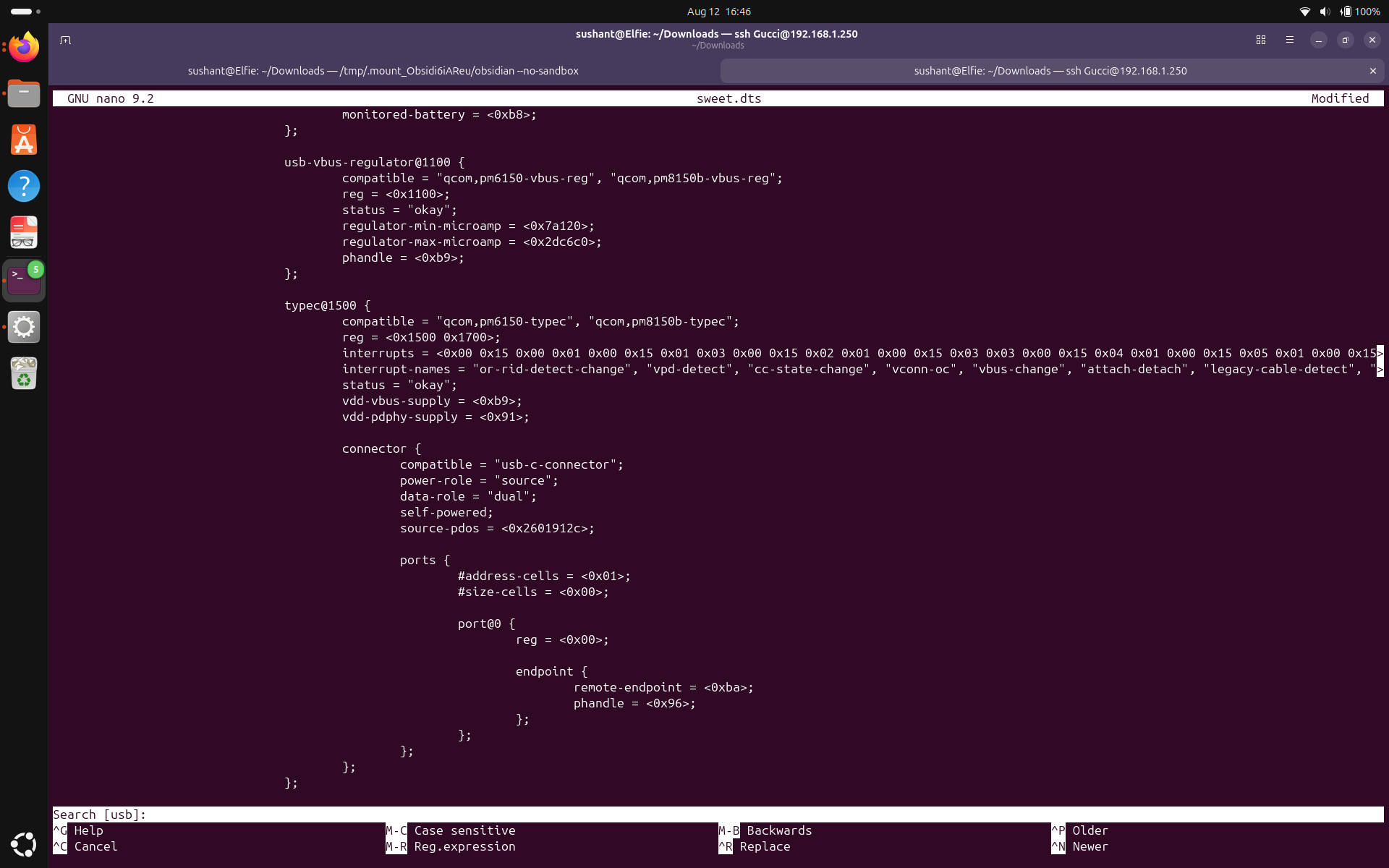
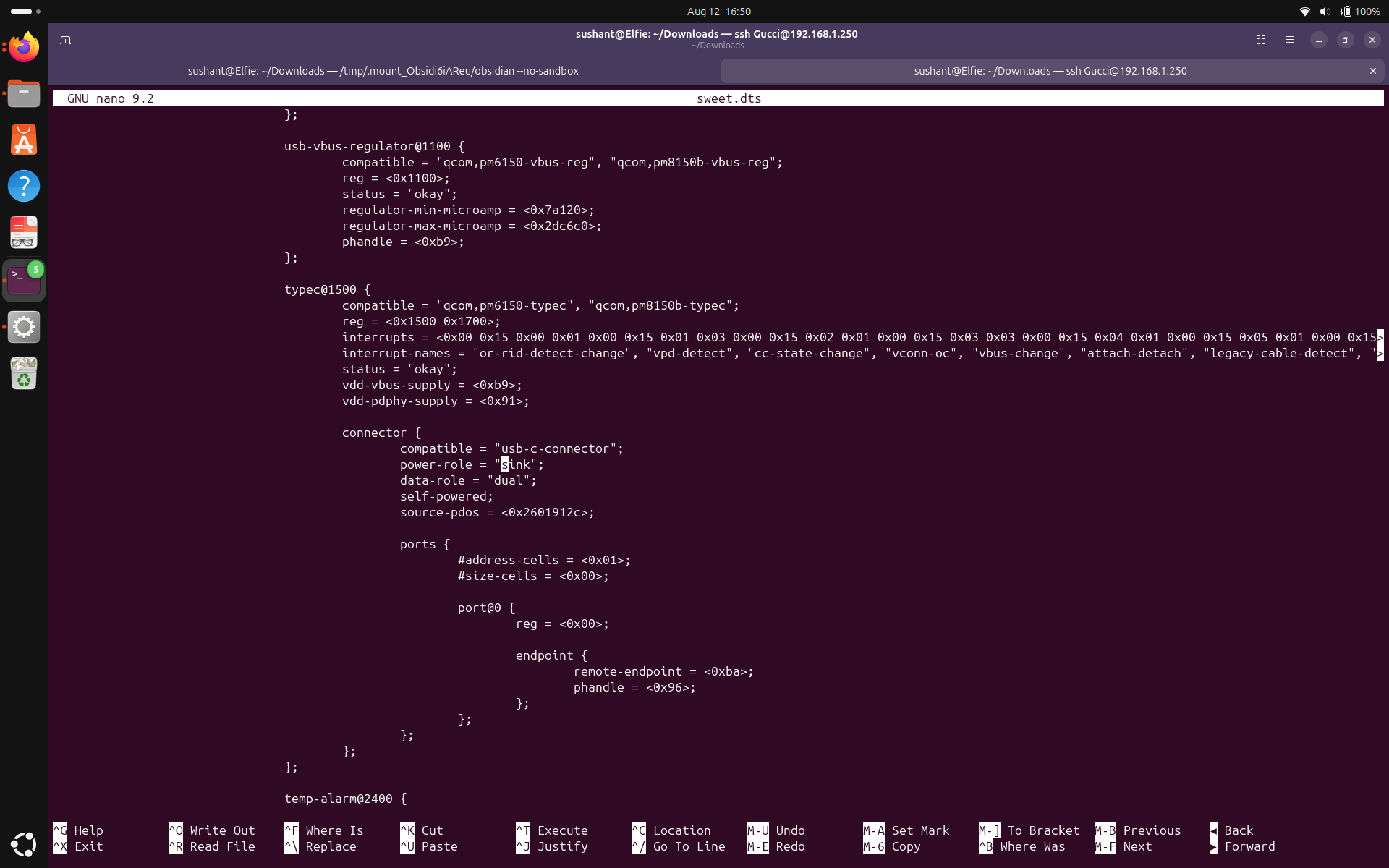
Notice the line power-role = "source";. I don't think my phone is supposed to be the source of power — it is supposed to be a sink. So, let's carefully change it to "sink".
Let's compile it back to .dtb and put it back in the /boot/dtbs directory. Run: dtc -I dts -O dtb -o /tmp/sweet.dtb /tmp/sweet.dts
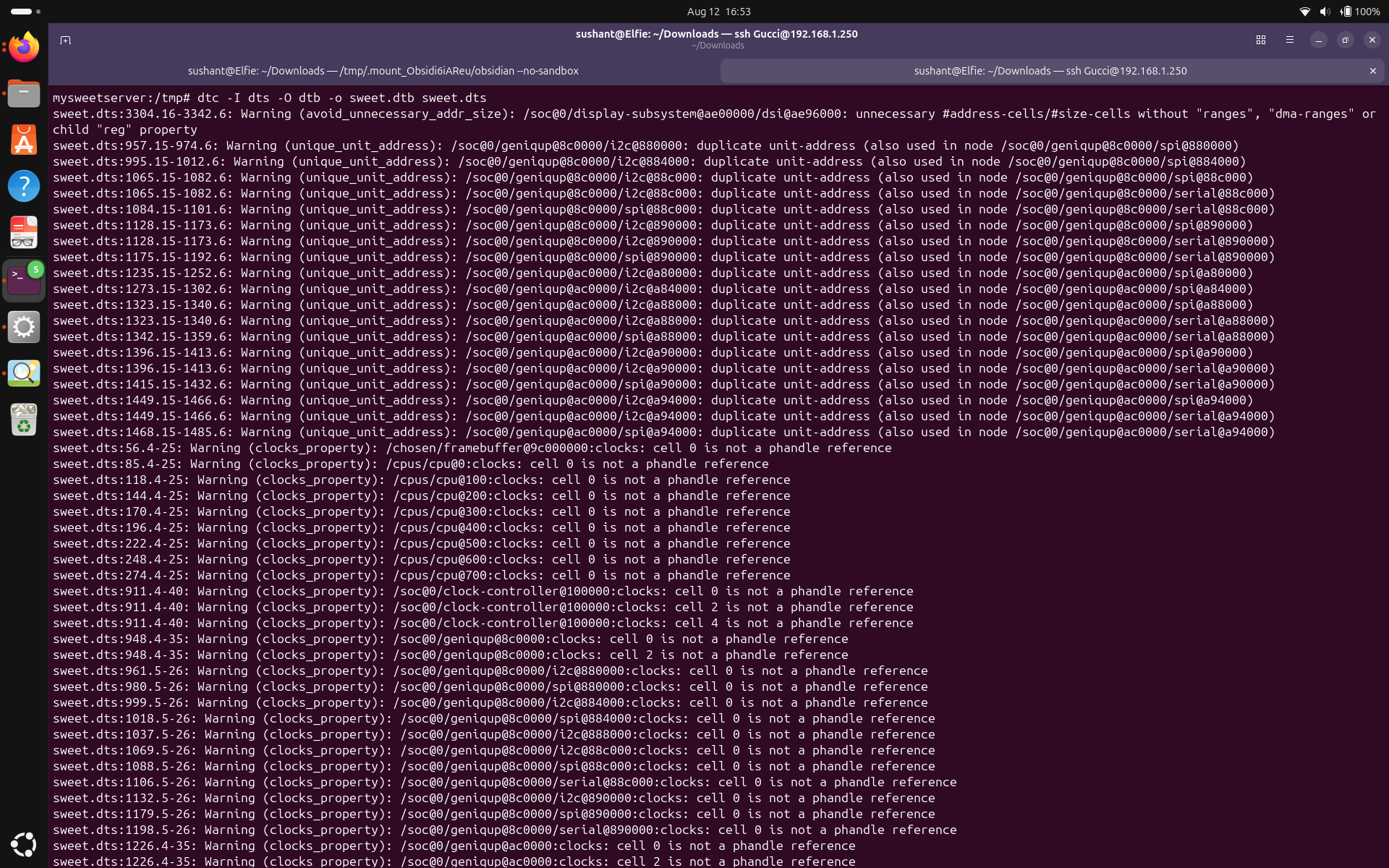
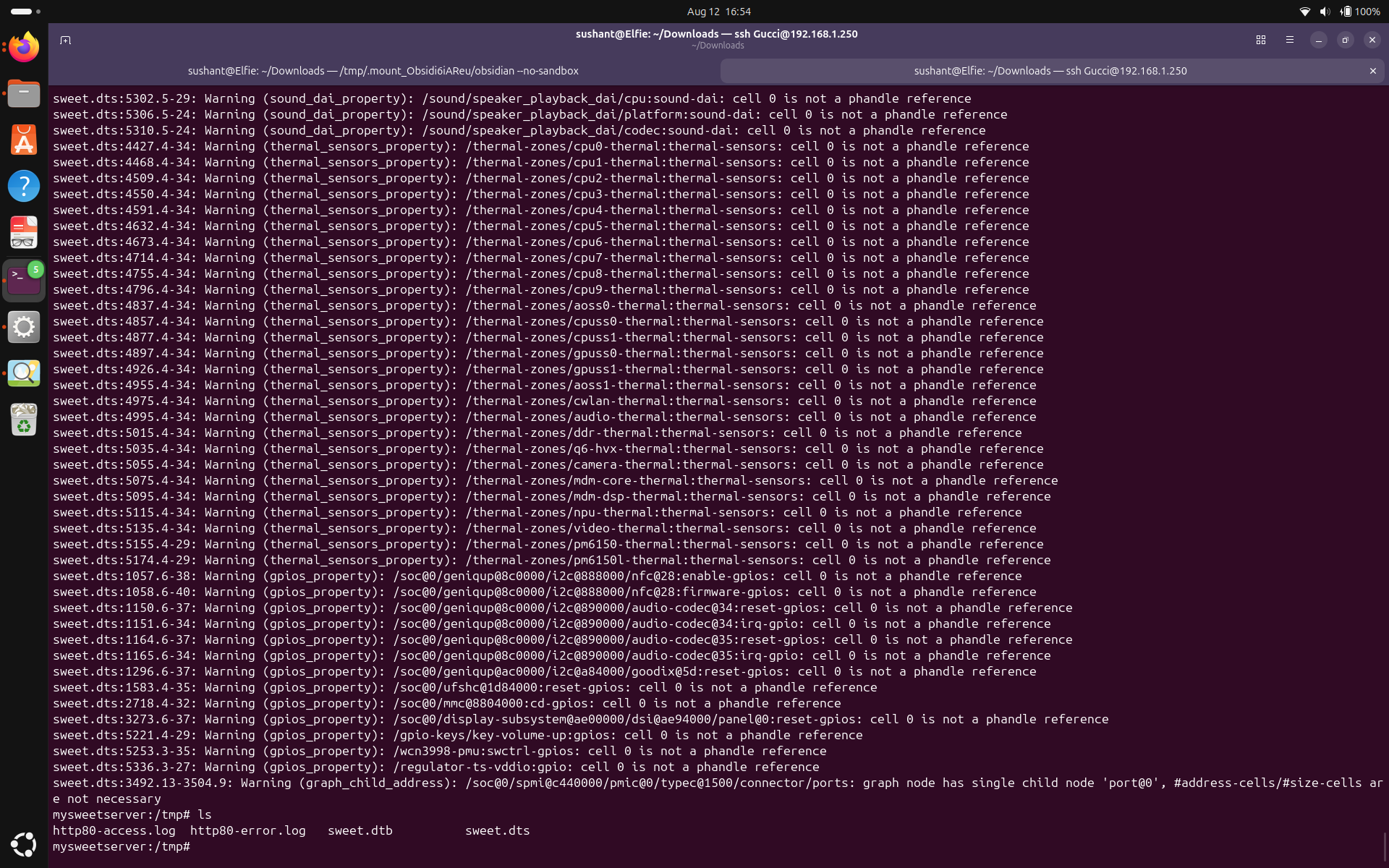
We can see, amidst the thousand warnings, the tree did compile back to .dtb. Success! (Not quite.)
Let's put our newly compiled file back into the /boot/dtbs/qcom directory. Run: cp /tmp/sweet.dtb /boot/dtbs/qcom/sm7150-xiaomi-sweet.dtb
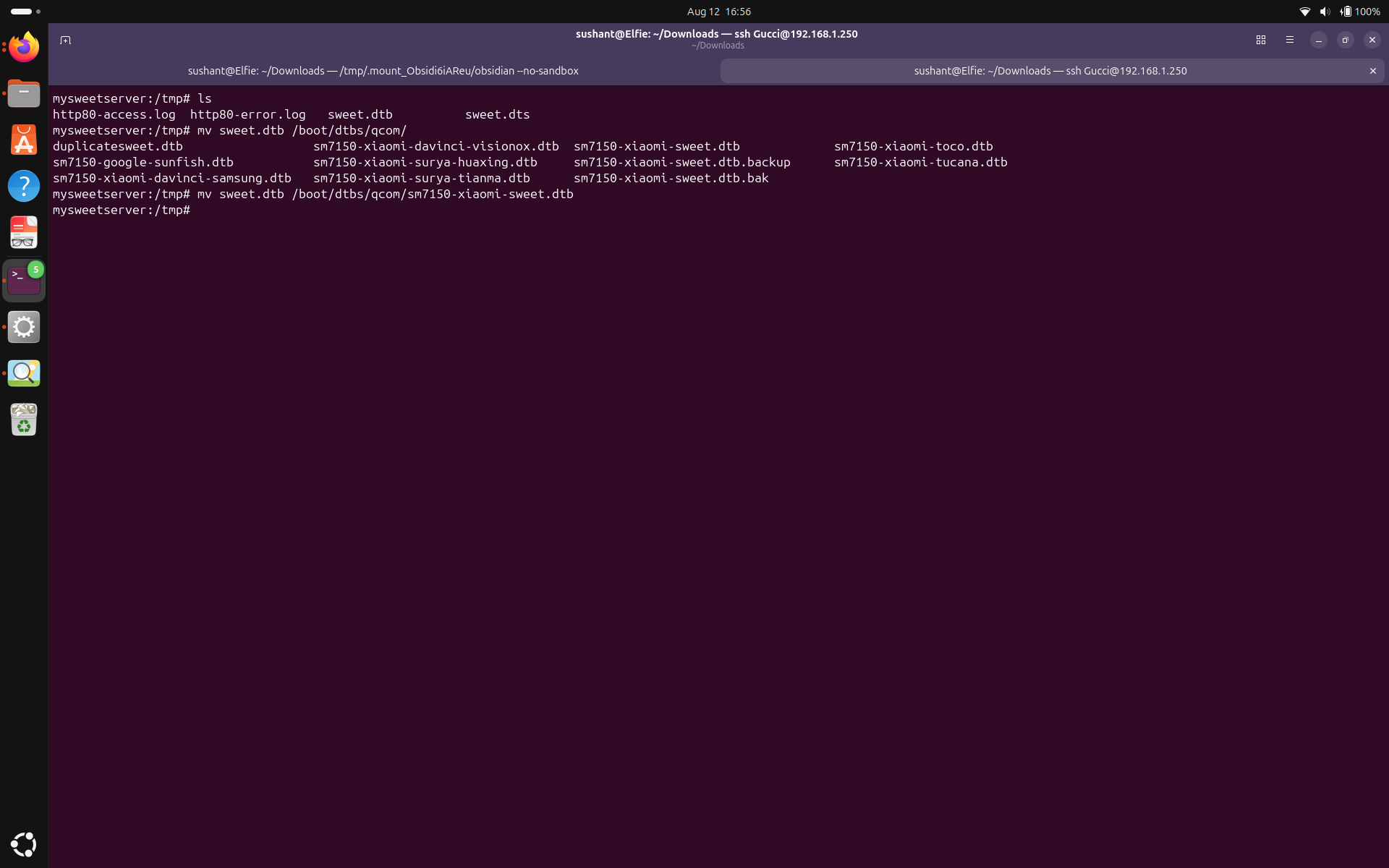
Hopefully, when we reboot, the device won't crash and the phone will switch its role from source to sink and start accepting charge.
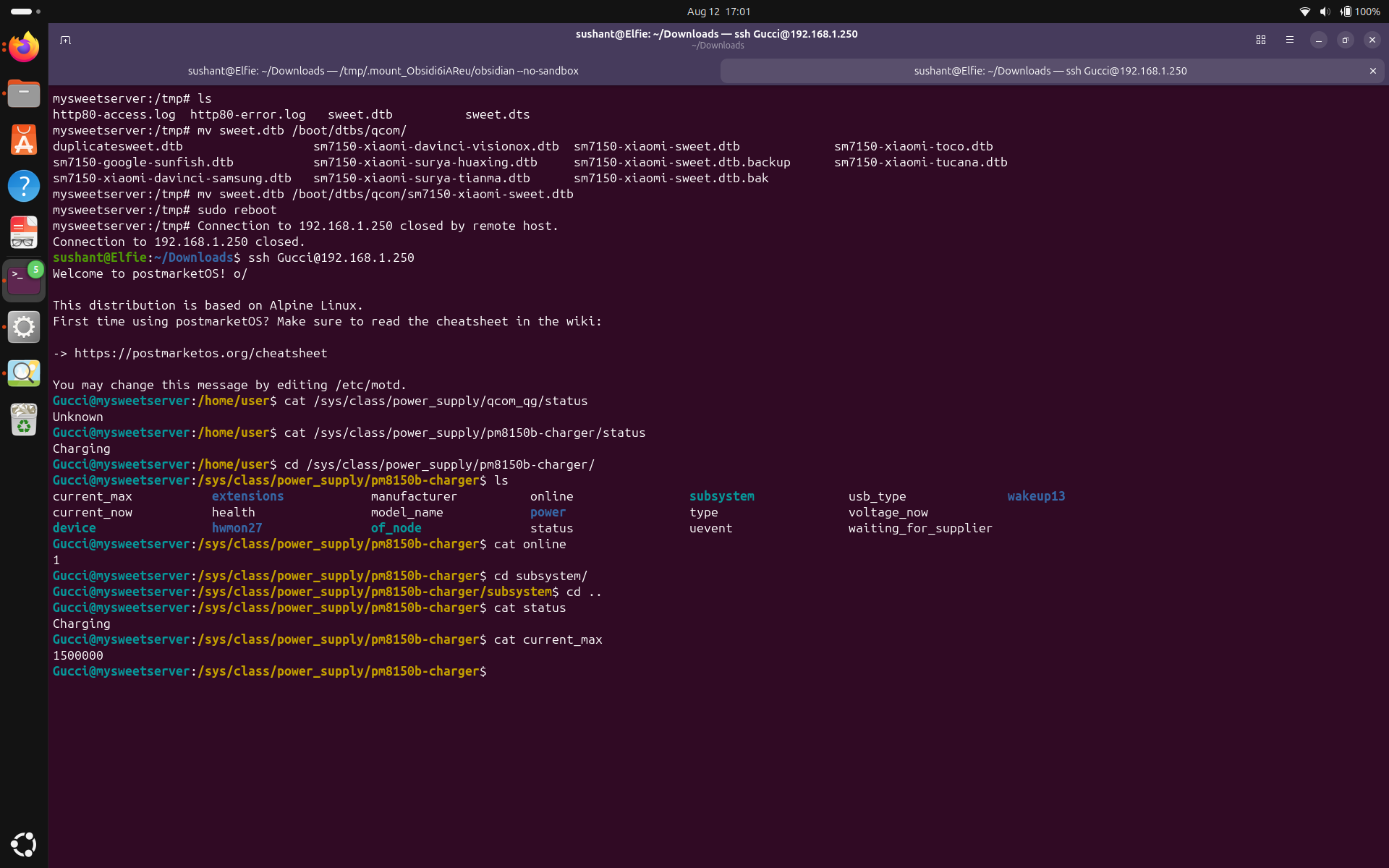
It worked! FYI, it also works if you substitute "source" with "dual". Ask me how I know this.
PS: This is not all I did. I wish it was that easy, but this is the minimum number of steps you can take to actually know what you're doing and adapt if necessary.
Basically: decompile /boot/dtbs/qcom/sm7150-xiaomi-sweet.dtb, find the line power-role = "source";, change it to power-role = "sink";, compile it back, put the updated file back into /boot/dtbs/qcom/sm7150-xiaomi-sweet.dtb, and reboot.
For my phone, PostmarketOS had listed battery feature under "partial". This meant battery wouldn't charge in the initial configuration. But even though we did fix it, it is a good idea to look around and gather as much information as possible about the battery status, health, and capabilities in case something else decides to go wrong.
The files inside /sys/class/power_supply/ contain useful information about the battery status, health, and capabilities. Let's take a look at /sys/class/power_supply/pm8150b-charger. It gives us information about the charger, it's status, the max current phone is allowed to draw, the actual current being drawn, and other relevant details.
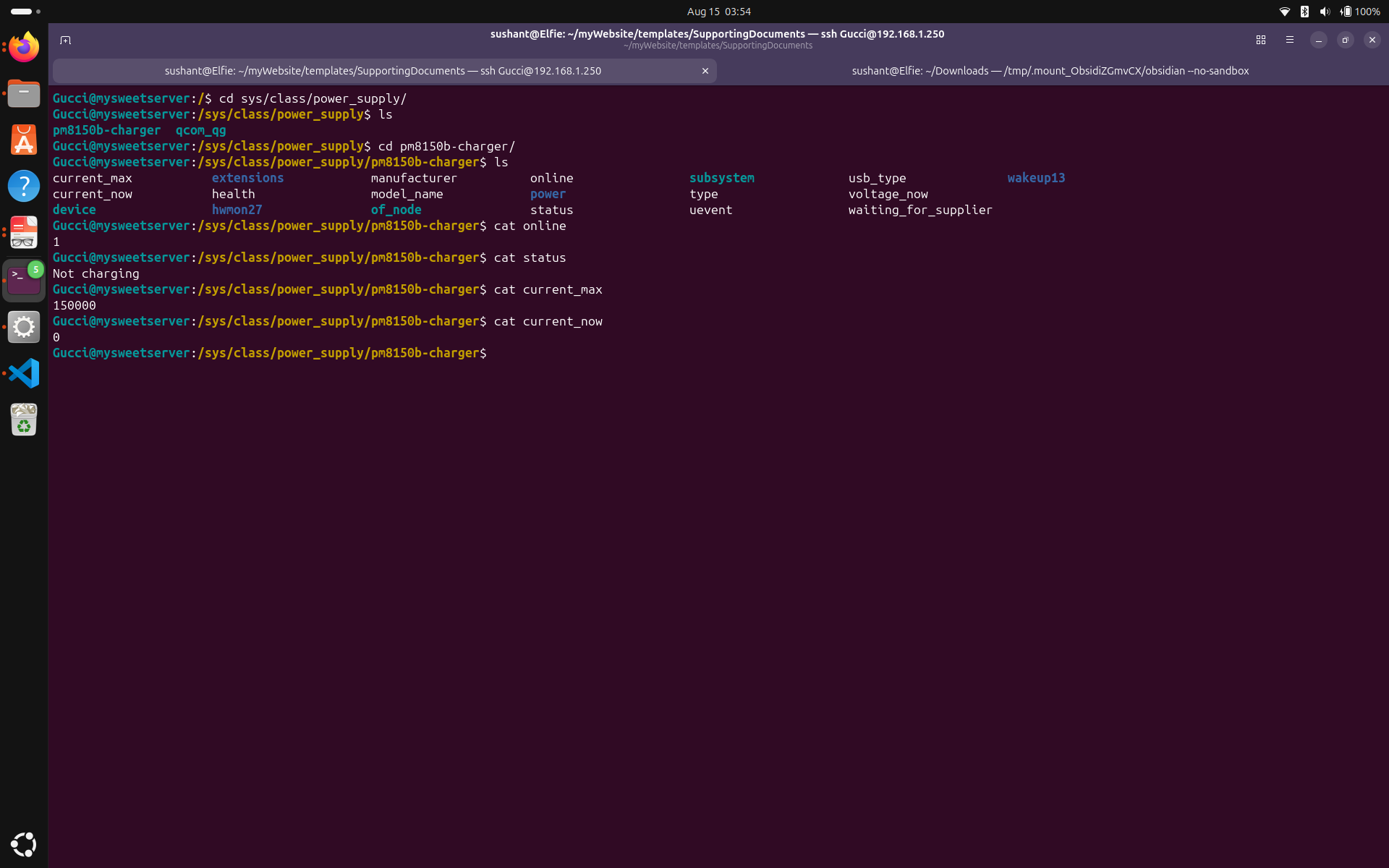
Charger status has four different modes:
Charging means battery is currently being charged. Discharging means battery is currently being used to power the device. Not charging means the battery is not drawing any power, and the phone is running with battery bypass using the charger. Full means the battery is fully charged.
Next, let's look at /sys/class/power_supply/qcom_qg. This directory contains information about the battery itself, including its status, and uevent. The uevent file can be useful for debugging and monitoring purposes.
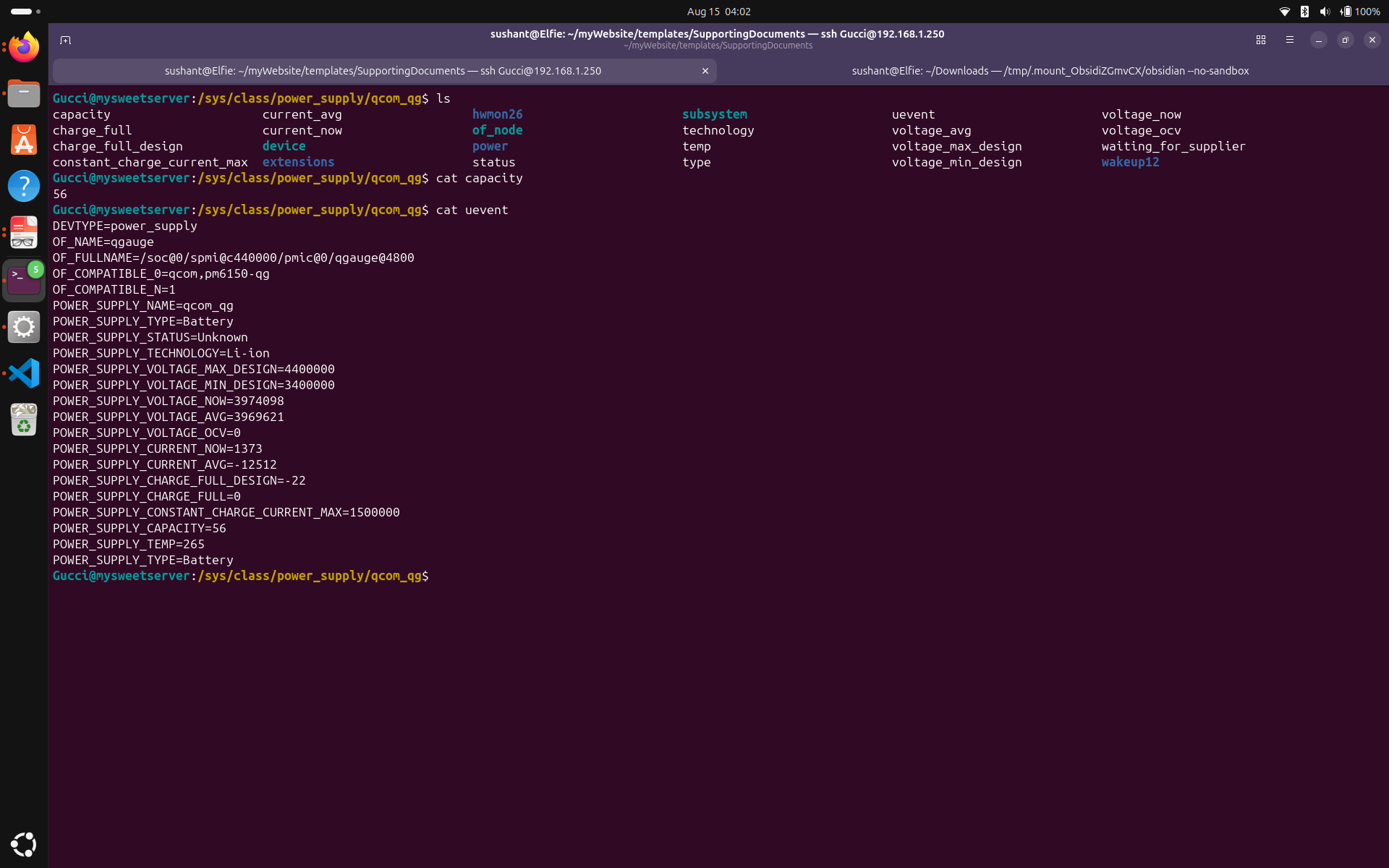
It is not a good idea to keep the battery at a high charge all the time. This can lead to faster battery degradation and reduced overall battery lifespan. To mitigate this, I scoured the device for any files that could be used to set a maximum charge threshold for the battery. Even though I can't say there doesn't exist one, I can say that after a very intensive search, I was unable to find it. But you know what I did find? The current_max file which specifies the maximum current the battery can draw is writeable.
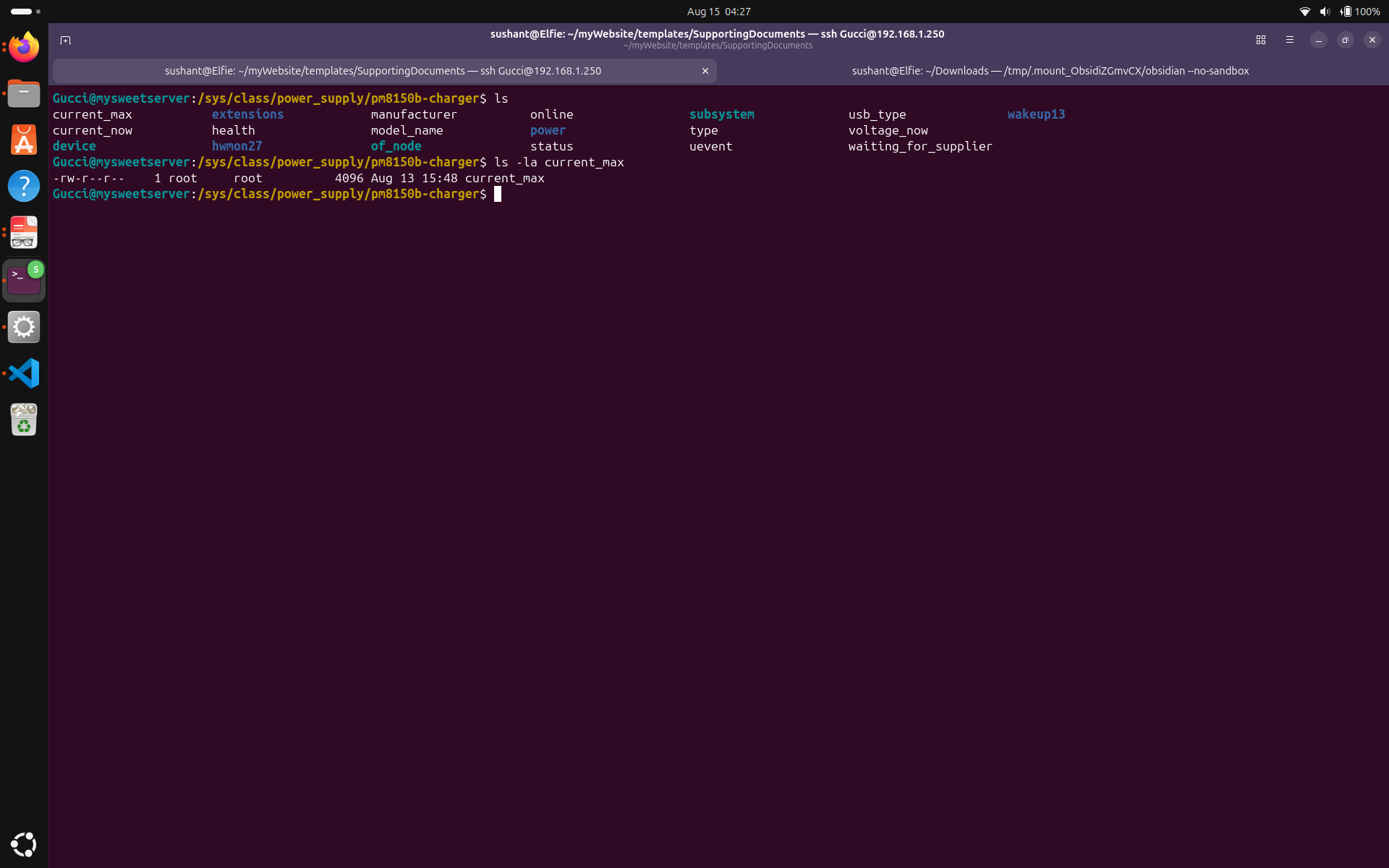
You can see the admin has write access to the current_max file. Let's echo some current amount into it and see if the actual current being drawn follows. (Please don't try too low or too high values. This is uncharted territory even for me.)
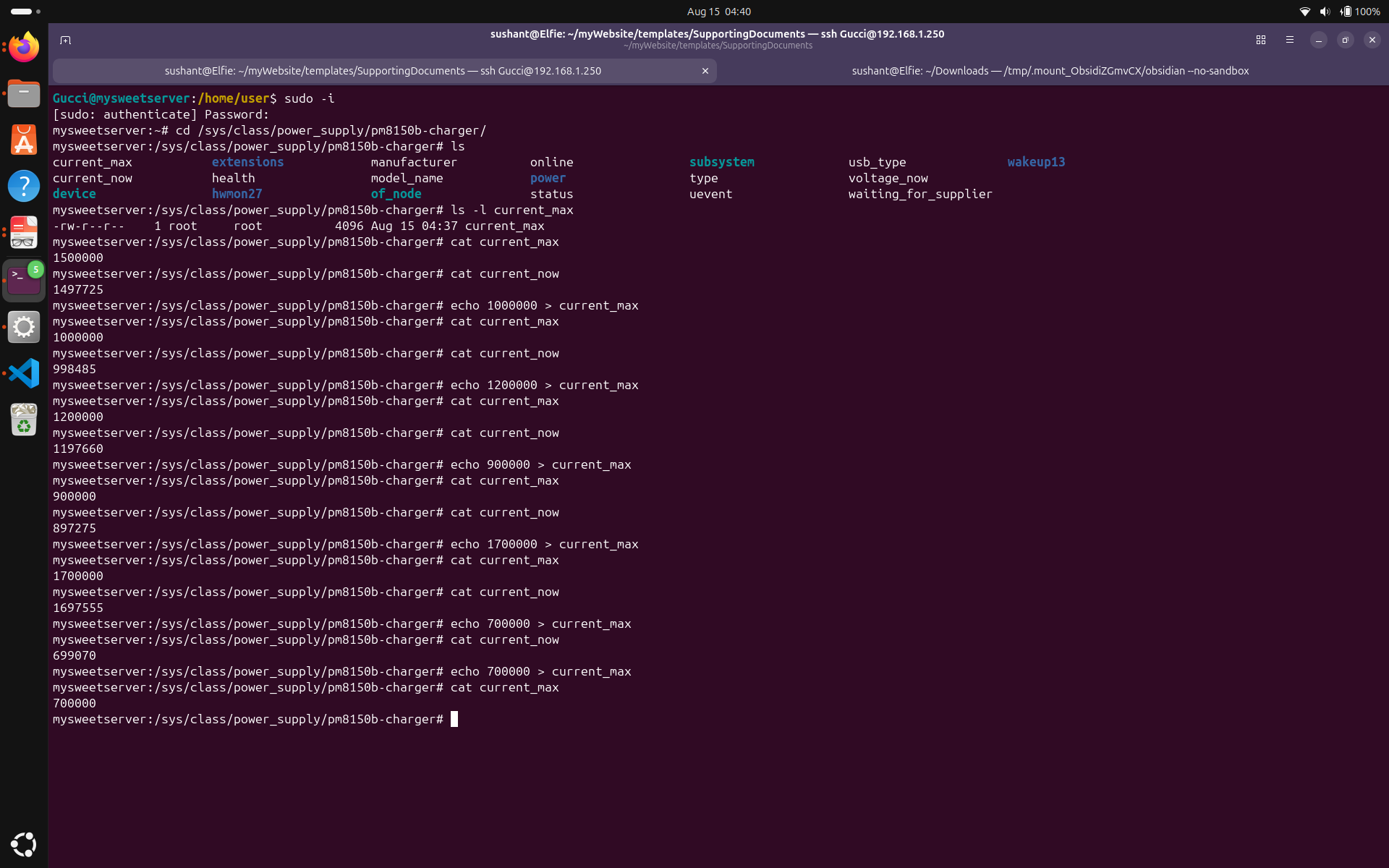
You can see that when I echo 1000000, 1200000, 900000, 1700000 to current_max, current_now, reads 998485, 1197660, 897275, 1697555 respectively. This shows that the actual current being drawn closely follows the limits set in current_max. I used that to write a battery hysteresis script.
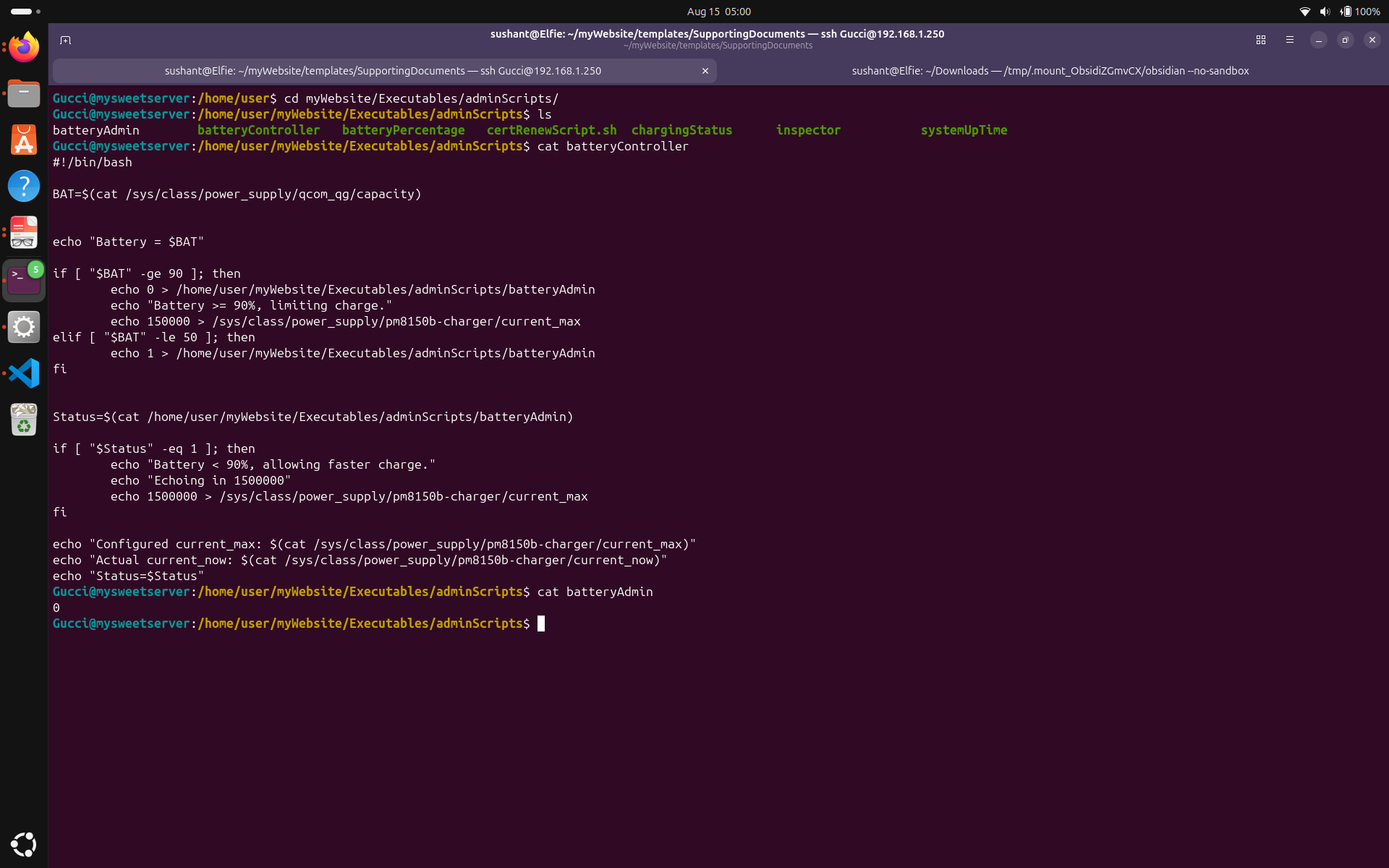
This script lets the the battery draw a high current until it gets to 90% and then it echoes in a lower current until the battery drops below 50%, then it charges upto 90% again. I implemented this hysteresis because my first approach, where i disable charging over 90% led to very frequent toggling of the charging state. Basically, the charger would stop charging at 90% and start again at 89%, causing unnecessary wear and tear on the battery and the charging circuitry.
Since this would be just a simple cron job, I took a help of an external file on which would control when the charging should be enabled or disabled. It works by echoing 0 when the level goes above 90% which tells my script to stop charging, and echoing 1 when the level goes below 50% which tells my script to resume charging.
But! the kernel takes over sometimes! Sometimes it rejects the written values on current_max and does its own thing, like setting the current_max to 50000, which causes a slow battery drain and sometimes setting the current_max to 0, where the phone enters battery bypass mode, effectively ignoring my script's settings and sustaining on just the charger. I have tried to figure out what exactly takes over and writes this value, so I can directly edit it so there would be only one script managing the charging process, but I haven't been able to pinpoint the exact mechanism or process responsible for it. It does appear that the kernel and my script working together won't let the phone die. I have noticed through my battery logs, the kernel lets my battery go below 50%, then raises the current_max to allow charging, and when it is comfortable, it releases the control so my script can resume managing the charging process. The only thing that I can say about this is that the kernel appears to be taking control of the charging behaviour randomly but this hasn't caused my phone to die or crash yet.
I am not sure why but my phone reboots when there is a sudden movement or shake. Even though a small action like plugging and unplugging the charger can trigger a reboot. I can confirm that when it was running Andriod, this issue did not occur, which makes me think it might be because of a problem with the current operating system. I'll let the developers work on it, but in the meanwhile, I have compensated to this issue by always leaving the charger plugged in, and putting it in a stand where I do not touch it. My battery hysteresis script doesn't let the battery sit at full charge all the time so this setup is working for me.
I also have scripts which monitor the device's temperature, current_max and current_now values, battery level, charging status etc. I have configured my website's admin page to display these values in real-time, allowing me to keep an eye on the device's health and charging behavior at all times.
You can tailor the caring steps custom to your device.
In this project, we fixed the USB charging behavior of the device by editing the device tree to switch the device's power-role from source to sink. We looked around the files which would give us valuable information about the charging, charger, and battery. Finally, we wrote a battery hysteresis script to manage charging.